Published On: March 2, 2026 | Last Updated: March 2, 2026
Estimated Reading Time: 7 mins
Imagine waking up to find the “Gate” to your digital life has been barred from the inside. Your password—the very key you’ve used for years—is suddenly irrelevant. This isn’t just a technical glitch; it is the beginning of a digital siege.
In my journey as a Google Certified Digital Marketer, E.E.A.T Focus Individual, Security Encryption at CCN and identity check, I recently faced this exact scenario.
While navigating an intense period of high-frequency interference, I realized that a simple “Forgot Password” link is not a plan—it is a prayer. To survive a sophisticated lockout, you need more than luck; you need a Google Account Recovery Strategy built on what I call “Wiring Protocols.”
This guide is not a theoretical walkthrough of Google’s help documentation. It is a forensic breakdown of the “Wiring” I implemented to successfully recover my primary accounts while under a real-life siege. From managing “Device Signatures” to leveraging “Anchor Emails,” I will show you how to architect your recovery bridges before the bridge is burned.
Whether you are currently locked out or looking to harden your perimeter, these proven protocols are the difference between losing your digital heritage and reclaiming your command center.
Let’s just uncover…….

The Architect’s Blueprint:
3 Proven Recovery Protocols
Recovery is not a one-size-fits-all process. Depending on your ‘Wiring’—whether you are under GAPP or standard security—the path changes. Here is how I navigated the three main gates of Google account restoration.
Protocol 1: The GAPP Unenrollment (The 72-Hour Siege)
For my most sensitive accounts protected by the Google Advanced Protection Program (GAPP), security is tightened to prevent even Google from helping you instantly.
The Action: I initiated the ‘Unenrollment’ sequence.
The Protocol of Silence: Once the request is made, Google places the account in a ‘Cooling Period’ (24, 48, or 72 hours).
Architect’s Secret: During this time, I do not attempt to log in. Any activity during this window can look like a ‘Spirit’ trying to hijack the process, potentially resetting the clock. You must let the account experience ‘Total Silence’ to prove you are the patient, rightful owner.
📸 [ The Cooling Period Signal]
Below is a screenshot of the Google notification stating “My request to unenroll will be processed in [X] hours given below while yours can be the 72hrs waiting period but that’s mine below.”

Protocol 2: The ‘g.co/recovery’ Direct Breach
When all active sessions are lost, I revert to the Master Recovery Bridge.
The Action: I utilize the official co/recovery portal from a Trusted Device (a device previously used for this account).
The On-Screen Flow: I follow the prompts meticulously, ensuring my IP address (Network) matches my usual location to strengthen the ‘Trust Signal’ to Google’s AI.
That’s my Url tactic screenshot below which means you can achieve the same when dealing with your lost business account or serious application account
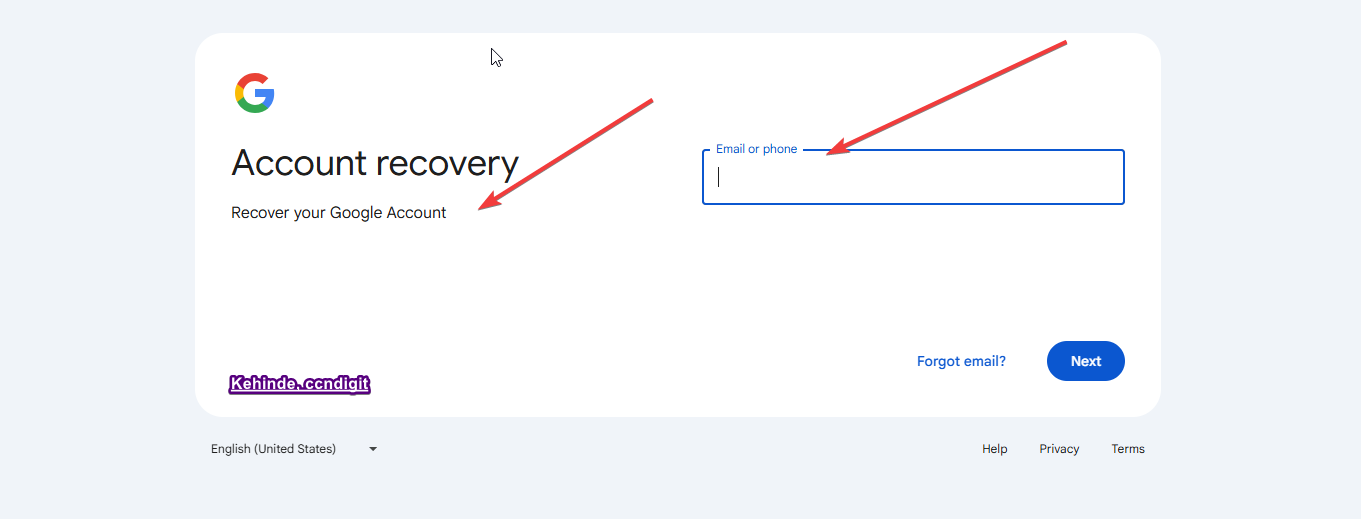
Protocol 3: The Phone/SMS Bypass (Non-GAPP Accounts)
For accounts not enrolled in Advanced Protection, the path is more agile.
The Action: After selecting ‘Forgot Password,’ I utilize the ‘Try Another Way’
The SMS Bridge: I navigate until the option for Phone Verification Since my ‘Wiring’ includes a pre-linked mobile number, I can bypass complex security questions with a direct hardware-to-hardware handshake.”
📸 [SCREENSHOT 3: The ‘Try Another Way’ Menu] i Followed

OTHERS
Other Crucial things i did to recover these account for the ongoing Digital resolution
The “Backup Codes” Vault: As a high-Level always on duty security Encryption, I do not jeopardize the backup code for each of this account. To this end I also keep 8-digit Backup Codes in a physical offline vault. Even if you don’t use them this time but whenever the need arise, so it become your savior because Google won’t generate this for you twice.
Trusted Network Integrity: More importantly i perform these recoveries on my Home/Office Wi-Fi, never on a public network or VPN. Google tracks the “ASN” (ISP Signature) as part of the identity check.
Below is the screenshot of the Google Security panel where ‘Backup Codes’ are generated.

THE RESULT! After I implemented all these wiring, by 100% i retain my primary account which began the journey of my success in the siege.
Global Standards & Official Recovery Resources
To ensure your recovery process aligns with global security standards and regional data protection laws, I recommend cross-referencing my ‘Wiring Protocols’ with the official documentation from these high-authority entities:
Region | Authority / Resource | Tactical Purpose |
Global (US/International) | Google Account Help: Recovery | The primary technical source for g.co/recovery. |
European Union (EU) | GDPR Right to Access (Official) | Understanding your legal right to access your data during a lockout. |
United Kingdom (UK) | NCSC: Securing Your Devices | UK National Cyber Security Centre advice on account protection. |
Nigeria | NITDA: Data Protection Services | Regional compliance and security standards for the Nigerian ecosystem. |
Canada/Australia | Cyber.gc.ca: Personal Security | Best practices for multi-factor authentication and recovery. |
Read Related: Google Mobile Security Hardening Features: The Results-Proof Wiring I Use [E.E.A.T Guide]

🏗️ Module 3: Reclaiming the Gate: Final Thoughts on Digital Resilience
Account recovery is the ultimate test of your digital architecture. As I have demonstrated through my own journey during this recent siege, the difference between a permanent lockout and a successful restoration is the ‘Wiring’ you put in place long before the crisis begins.
Whether it was navigating the 72-hour GAPP cooling period or leveraging a pre-linked mobile anchor, every success was rooted in a pre-emptive security design. In the Google Ecosystem, ‘hope’ is not a strategy—but a well-constructed recovery protocol is.
🛡️ The Architect’s Final Directive
If you are currently reading this while your perimeter is secure, do not wait for the ‘Spirits’ to knock. Take five minutes today to audit your recovery wires:
Generate your Backup Codes and store them in a physical, offline vault.
Verify your Anchor Email and ensure it is an account you monitor regularly.
Document your Strategy so that in the heat of a siege, you act with the precision of an Architect, not the panic of a victim.
“The Siege may be ongoing, but the perimeter holds. Stay secure, stay resilient, and keep building your palace.”



![Read more about the article Google Search Activities Dashboard Steps: Proven Phases I Use [ E.E.A.T Guide ]](https://ccndigit.com/wp-content/uploads/2025/11/Google-Search-Activities-Dashboard-Steps-768x768.jpg)
