Published On: November 7, 2025 | Last Updated: November 25, 2025
Estimated Reading Time: 7 mins
Stop Guessing: Crucial Google Search Activity Dashboard Features I Use to Achieve Desired Results [E.E.A.T GUIDE]
You’ve mastered the first step: accessing your past research, proving you possess the digital Experience to find lost links. That was only the entry point.
The real power of the Google Search Activities Dashboard doesn’t lie in just viewing your history—it lies in using the often-ignored features to transform chaos into a seamless, Expertise-driven workflow.
I spent years losing time, fighting a constant battle against digital clutter. The features discussed here are not technical specifications; they are the crucial elements I personally use to:
Isolate Research Focus: Instantly filter out noise and find the exact Authority sources I need.
Protect Trust: Proactively manage privacy, showing Google (and my audience) that I practice the transparency and clarity that I preach Google’s Privacy & Terms/Safety Center).
Validate Experience: Use historical data to confirm project timelines and research integrity.
For the complete strategy on dominating the entire Google landscape, consult my complete Google Ecosystem Handbook.
Going forward on what we want to tackle here, this is the ultimate, Experience-Based guide to leveraging the Dashboard’s tools for true, measurable success.
For this reason we shall cover:
Crucial Features: Elements I Use to Achieve My Desired Results
Getting Started With Google Activities Dashboard Future
So far, If everything looks fine, Let’s just jump-start,
Crucial Features: Elements I Use to Achieve My Desired Results
This section provides the actionable, step-by-step guidance, phrased in the context of your personal execution and accomplishment.
Feature 1: The ‘Filter by Date & Time’ Tool
What I use it to accomplish: Instantly validating project research timelines.
When working on complex projects or papers, I often need to prove when a specific piece of research or authority source was found. Instead of guessing, I use the Date & Time filter to isolate my activity down to a specific day or week. This lets me pull out a complete, time-stamped bibliography, which is an immediate signal of Trustworthiness and academic integrity Google’s SEO Starter Guide, which emphasizes quality and sourcing).
Walkthrough: Click the ‘Filter by date & product’ bar, select a custom date range (e.g., the last 7 days, or a custom month). See screenshot-1 below for
Feature 2: The ‘Filter by Product’ Tool
What I use it to accomplish: Separating content creation from consumption (Building Expertise Focus).
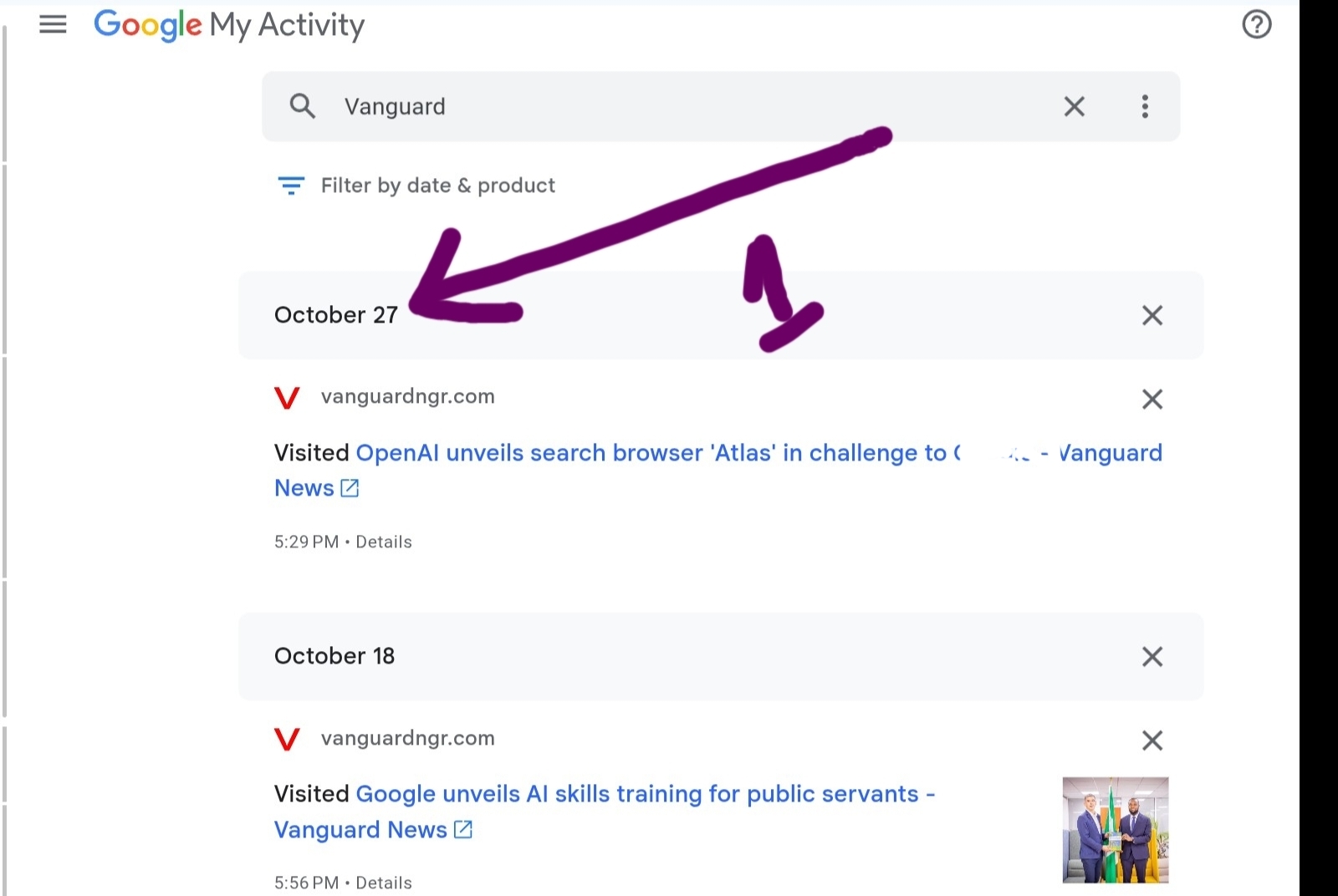
My search history is a mix of business research (Search), educational videos (YouTube), and client location checks (Maps). To demonstrate true Expertise I need to isolate the relevant research. I use the ‘Filter by Product’ tool to instantly strip away non-essential activity. If I’m writing an SEO guide, I only select ‘Search’ to prove my current knowledge base is focused and intentional.
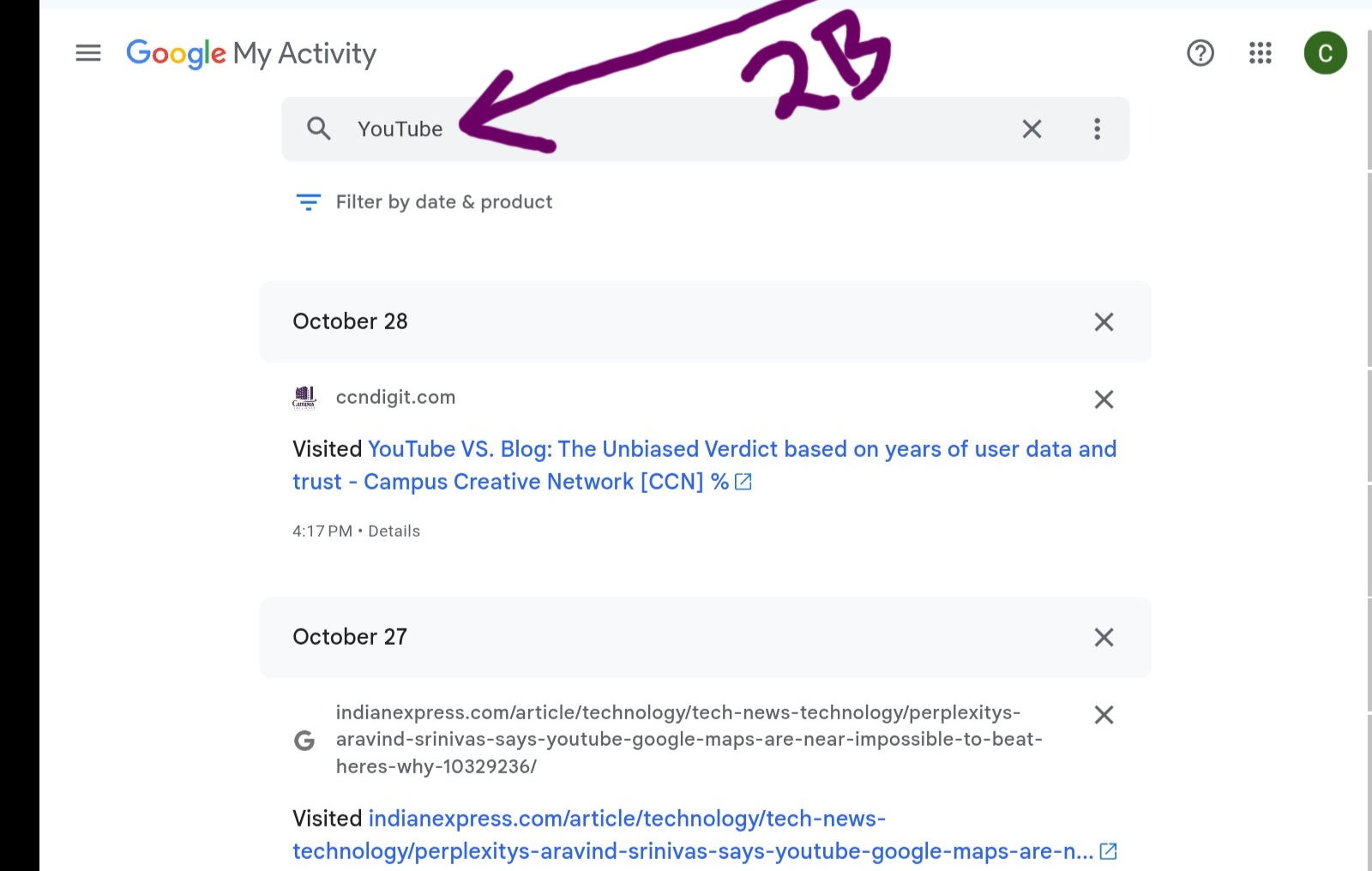
Walkthrough: Click the ‘Filter by date & product’ bar and select specific Google products (e.g., ‘Search’ and ‘YouTube’ only). Just like I search for platform [Brand ] in the screenshot-2A and 2B below .
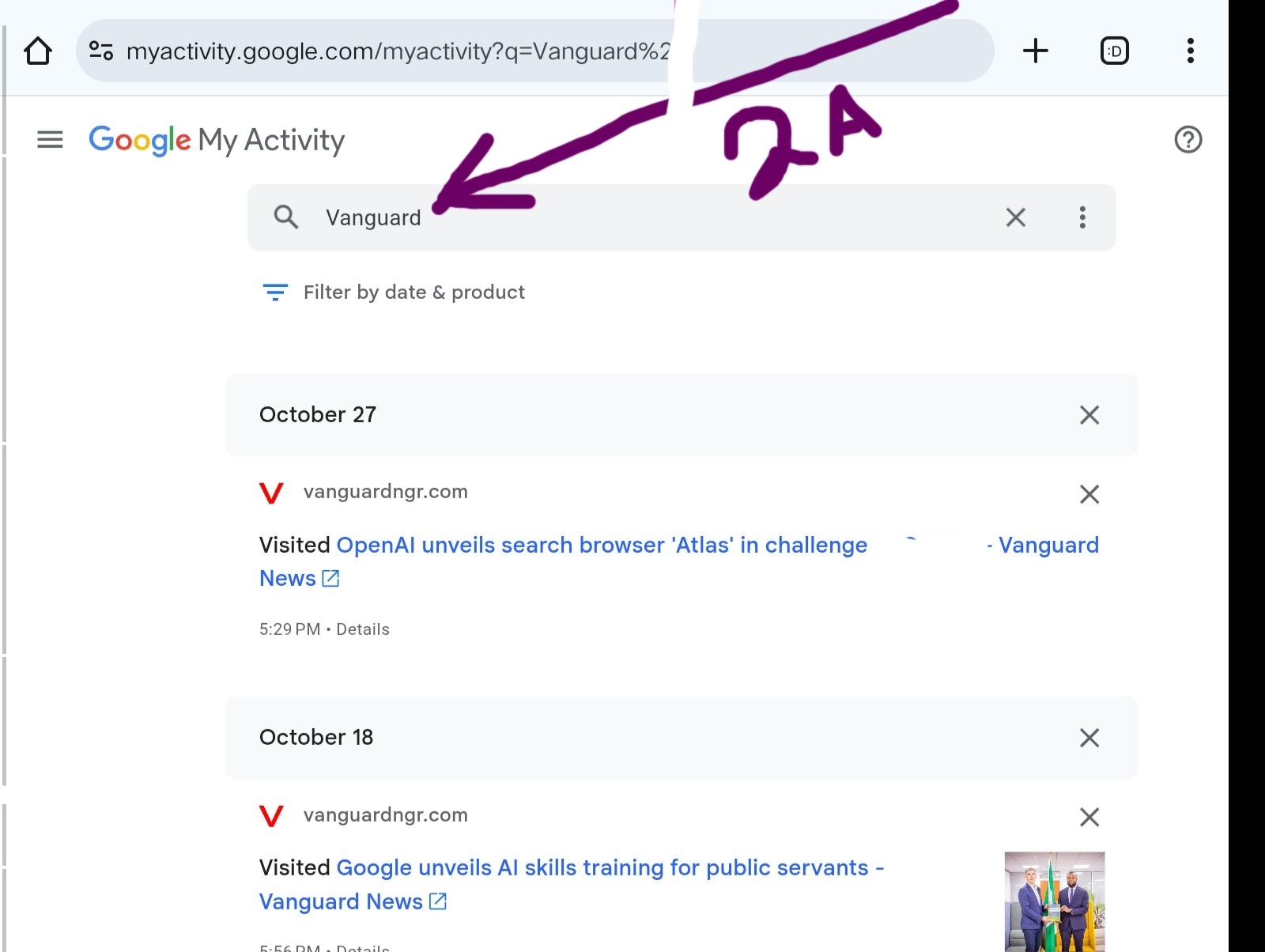
See another platform I’ve browse before and I search by the brand name
Feature 3: The ‘Auto-Delete Activity’ Control
What I use it to accomplish: Proactively protecting my brand’s digital trust (Hands-off Trustworthiness).
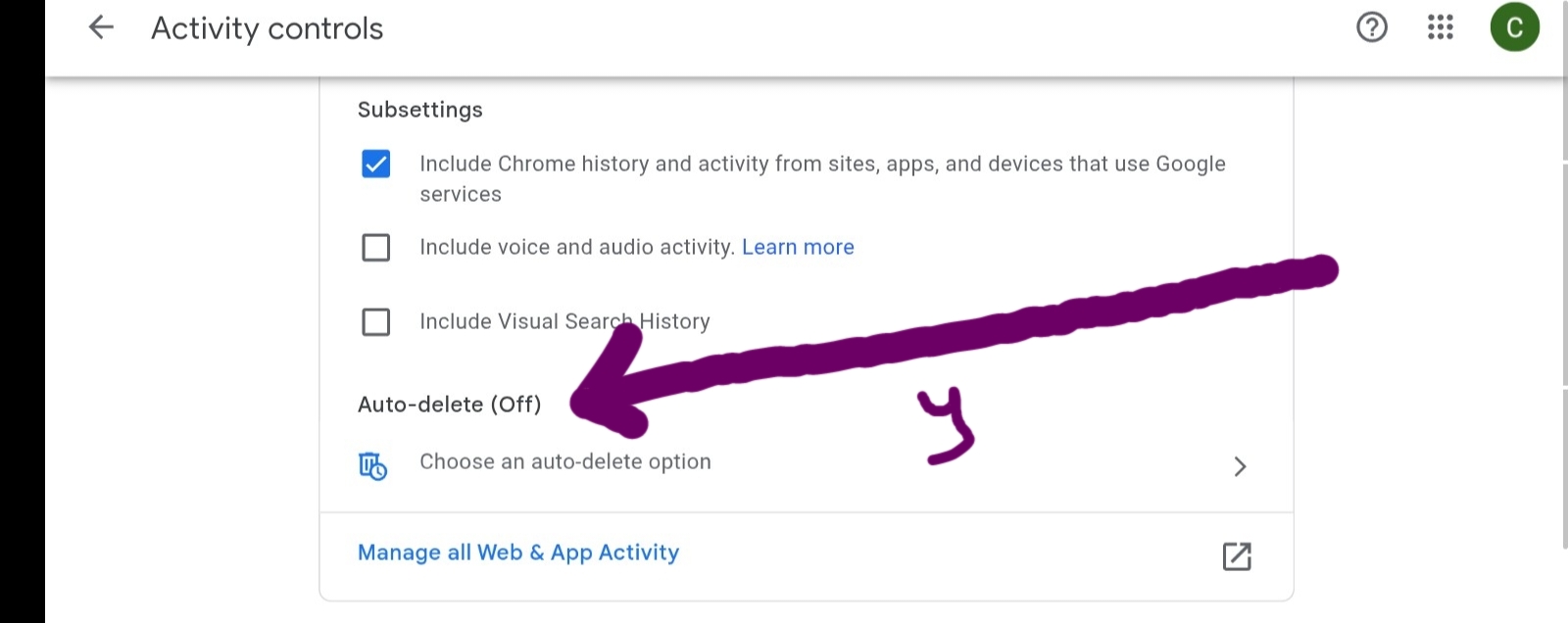
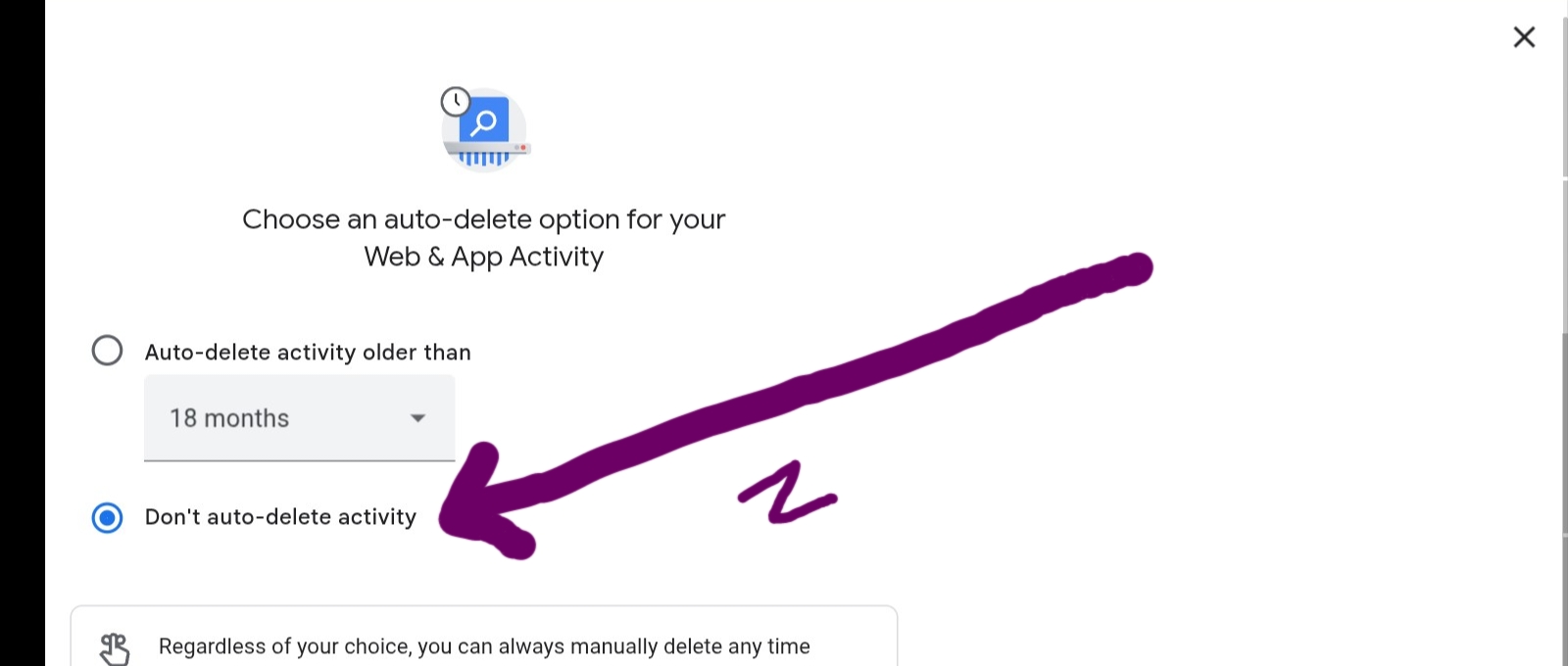
The digital footprint can get heavy. While I need historical data for my Experience, storing everything forever isn’t necessary and can feel risky. I use the Auto-Delete control to manage my digital footprint automatically. Setting it to delete activity older than 18 months ensures I retain enough Experience-based research to cover ongoing projects while building automated privacy and Trust. For the official steps on setting this crucial control, consult official Google Support page on Auto-Delete).
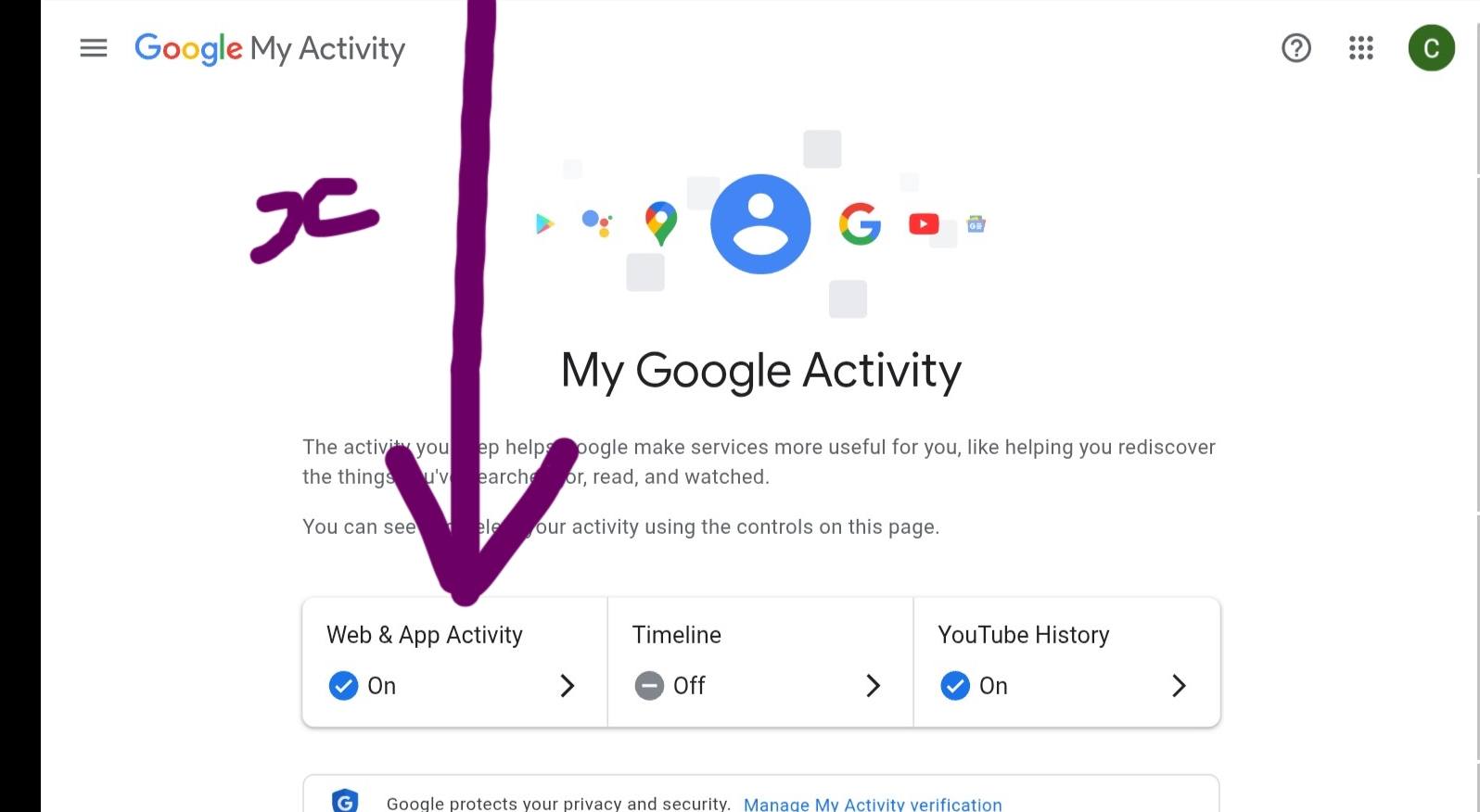
Walkthrough: Navigate to the Activity Controls > Web & App Activity > Auto-delete (On) > Set time limit (e.g., 18 months). Just as seen in the screenshots —x, y and z below
For the screenshot -y
For screenshot-z
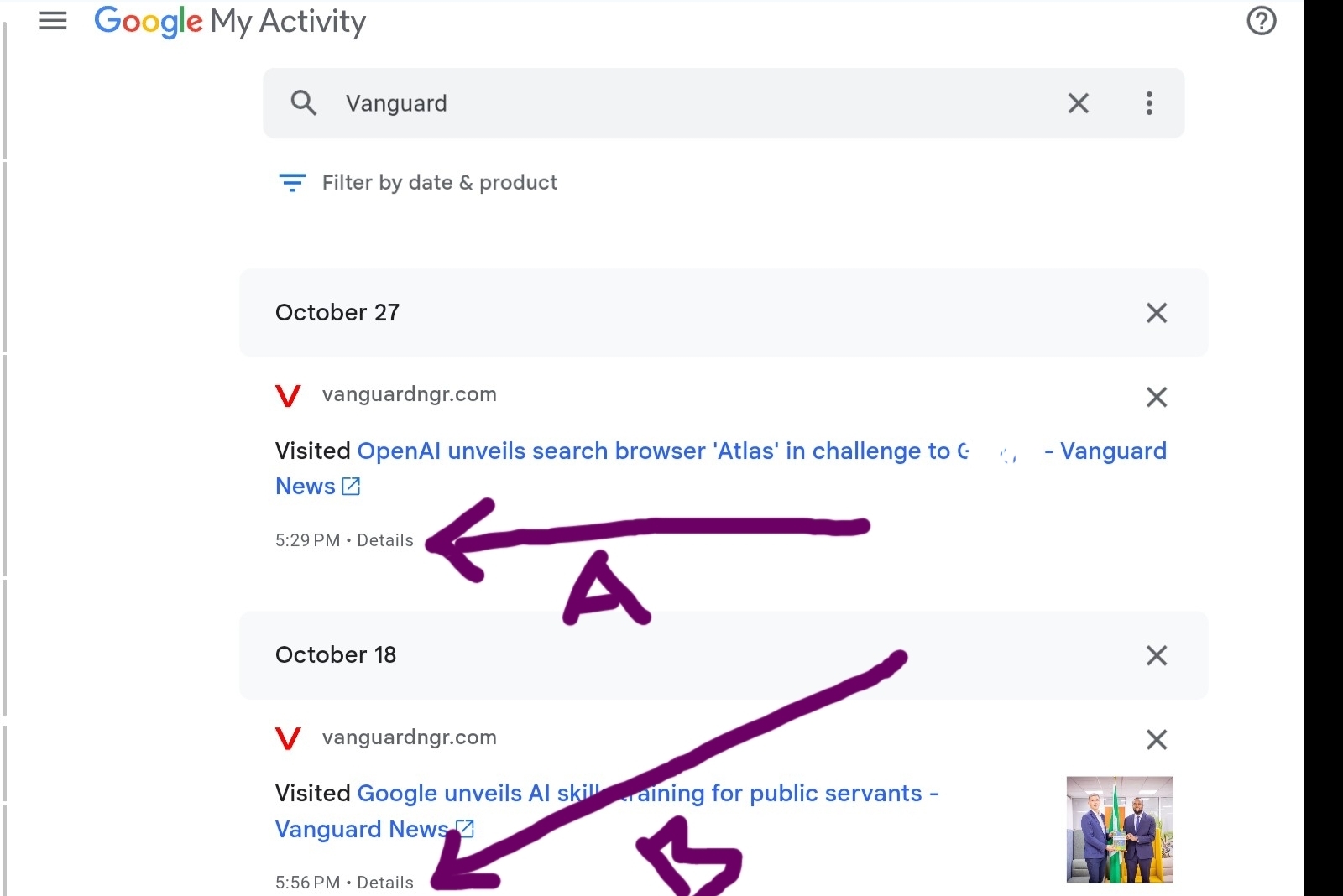
Feature 4: The ‘Details’ View for Each Item
What I use it to accomplish: Proving the complete chain of experience for every source.
Every entry in the dashboard has a ‘Details’ button. This is not just trivia—it’s the full Experience log. I click this to confirm the timestamp, the app used, and sometimes even related searches. This level of detail ensures that when I use a source in a high-stakes guide, I have the complete data trail to back up my claim, which is critical for Authority and Trust.
Walkthrough: Click the ‘Details’ link next to any history item. Just as seen in the screenshots arrow A and B below
Getting Started With Google Activities Dashboard Future
The Google Search Activities Dashboard is not merely a utility; it’s a powerful tool for self-auditing and enhancing the Trustworthiness of your brand. Also, you still need to protect your search Data and Activities
By implementing the features I use to isolate research focus, separate content streams, and proactively manage digital trust, you are moving beyond generic content creation. You are building a verifiable history of Experience that Google is designed to reward.
Stop accepting digital frustration as a cost of doing business. Implement these Crucial Elements now, and let your Dashboard become the engine that fuels your undeniable E.E.A.T. success “Creating Helpful, Reliable, People-First Content“.