Published On: November 3, 2025 | Last Updated: November 11, 2025
Estimated Reading Time: 6 mins
Stop Losing Research: The Proven, Experience-Based Phases to Mastering Your Google Search Activities Dashboard
Every content creator, student, and business owner faces the same digital anxiety: the flood of information. You’re trying to prove your Expertise and Authority, but your actual Experience is chaos:
Dozens of open browser tabs, often crashing.
Crucial research links forgotten or deleted.
Wasting hours trying to recall that one perfect source for a paper or project.
This constant struggle doesn’t just waste your time; it actively undermines your ability to show Trustworthiness and Experience to the world. For Google, the goal is always to provide helpful, reliable, people-first content. If your own process is chaotic, it shows.
I lived that digital frustration. I believed the only solution was meticulous note-taking and endless bookmarking, which stole hours from my actual work. But I discovered the solution lies in leveraging Google’s own ecosystem to track my first-hand involvement—which is the very definition of Experience in the E-E-A.T. framework.
This guide shares the exact, Experience-Based Phases I used to turn digital frustration into flawless research retrieval—the foundation of true E-E-A.T.
In the light of the above, we shall cover :
Phase 1: Accessing Your Digital Research Safety Net
Phase 2: The Two Proven Methods for History Retrieval
Next Phases of E-E-A.T. Implementation for You
If all that is fine, let’s get started,
Phase 1: Accessing Your Digital Research Safety Net
The biggest mistake is overcomplicating the access. You don’t need to dig through settings; you need a direct link to your past Experience.
Step 1: Access the Direct Route via My Activities
Forget menu navigation. The quickest path to reclaiming lost research is the direct URL. This step bypasses confusion and proves your Expertise in using Google’s own tools efficiently.
Action: Open your browser and type or click the direct URL: myactivities.google.com
Or see the screenshot-1 below of how your address search bar should looks lile and the url 🔗 as will.

E-E-A.T. Focus: This single action above is proof that you are taking control of your past research—the bedrock of your present Trustworthiness and Authority.
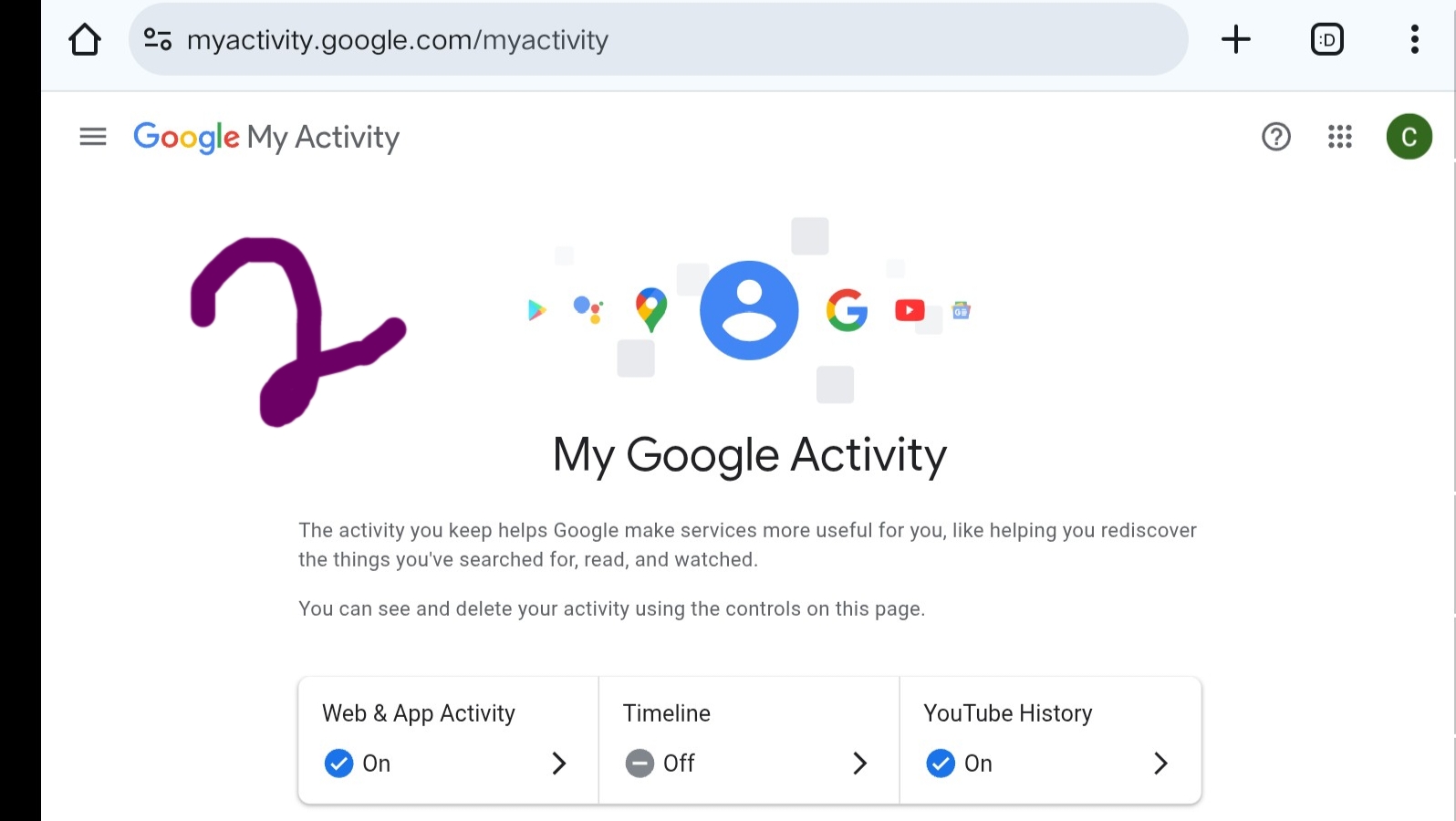
And, if you do everything very well, you should be in your Google Search Activities Dashboard Home that looks like below. See screenshot-2 below
Phase 2: The Two Proven Methods for History Retrieval
Once inside your Dashboard, the relief is instant. You have two powerful, proven methods for retrieving history. Use them both to ensure you never lose a crucial link again.
Step 2A: The Scroll Method (Reclaiming Years of Experience)
This method is perfect for browsing through a recent time period or when you vaguely remember a project’s timeline but not the specific keyword.
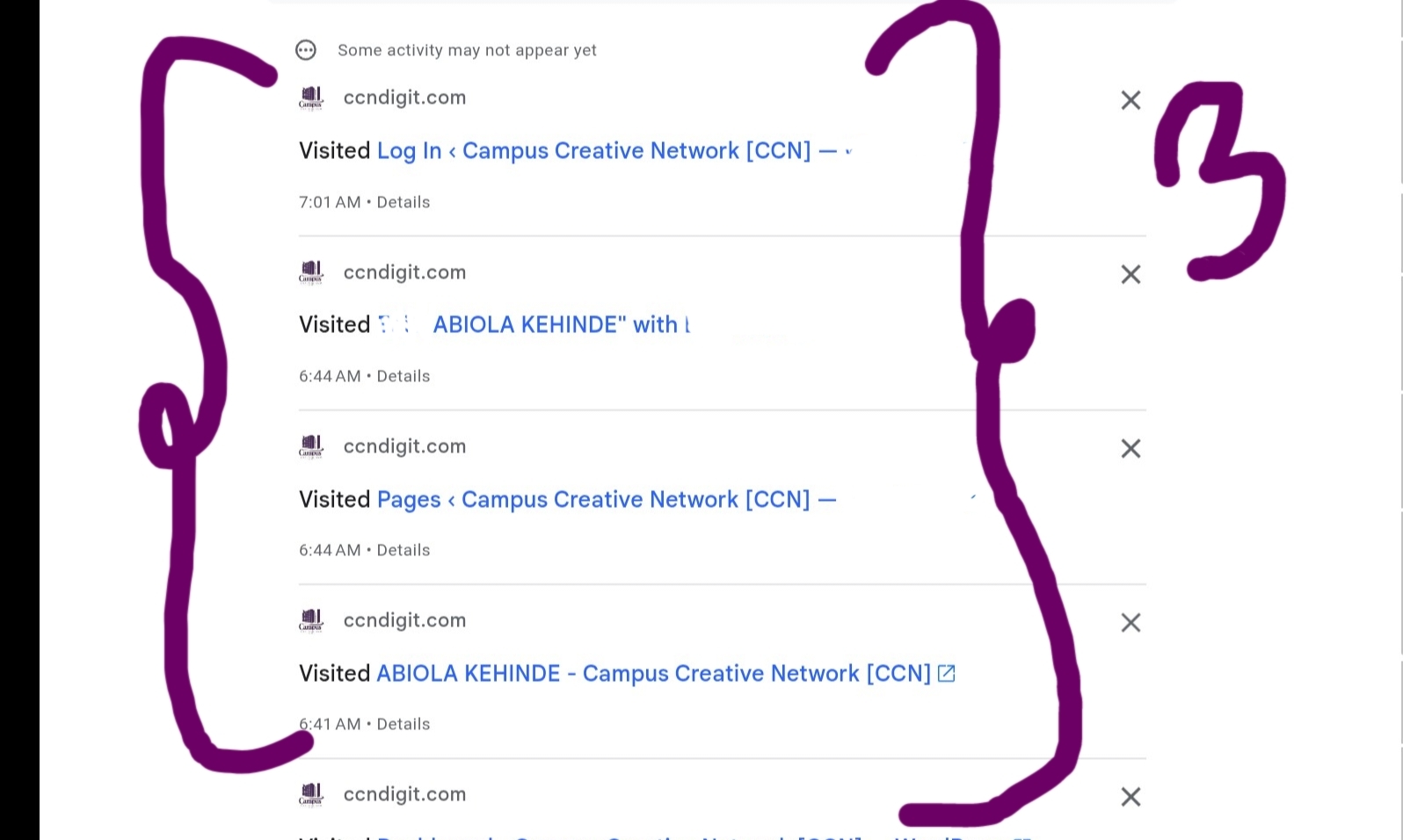
Action: Once on the dashboard, simply begin scrolling down the main feed. You will move backward from your most recent searches and visited URLs, giving you a chronological audit of your digital Experience.
Benefit: You can literally scroll back years depending on your history settings, solving the dilemma of that “one link I saw last month” or “that document from last semester.” see screenshot-3 below showing my browsing history while scrolling down the Google Activities Dashboard Home, without pressing anything or navigating to anywhere. The direct scroll-down method.
Step 2B: The Search Filter Method (The Expertise Accelerator)
This is the fastest, most effective way to validate a previous source and accelerate your Expertise. If you remember a single keyword, subject, or a fragment of the URL, the search filter is your ultimate tool.
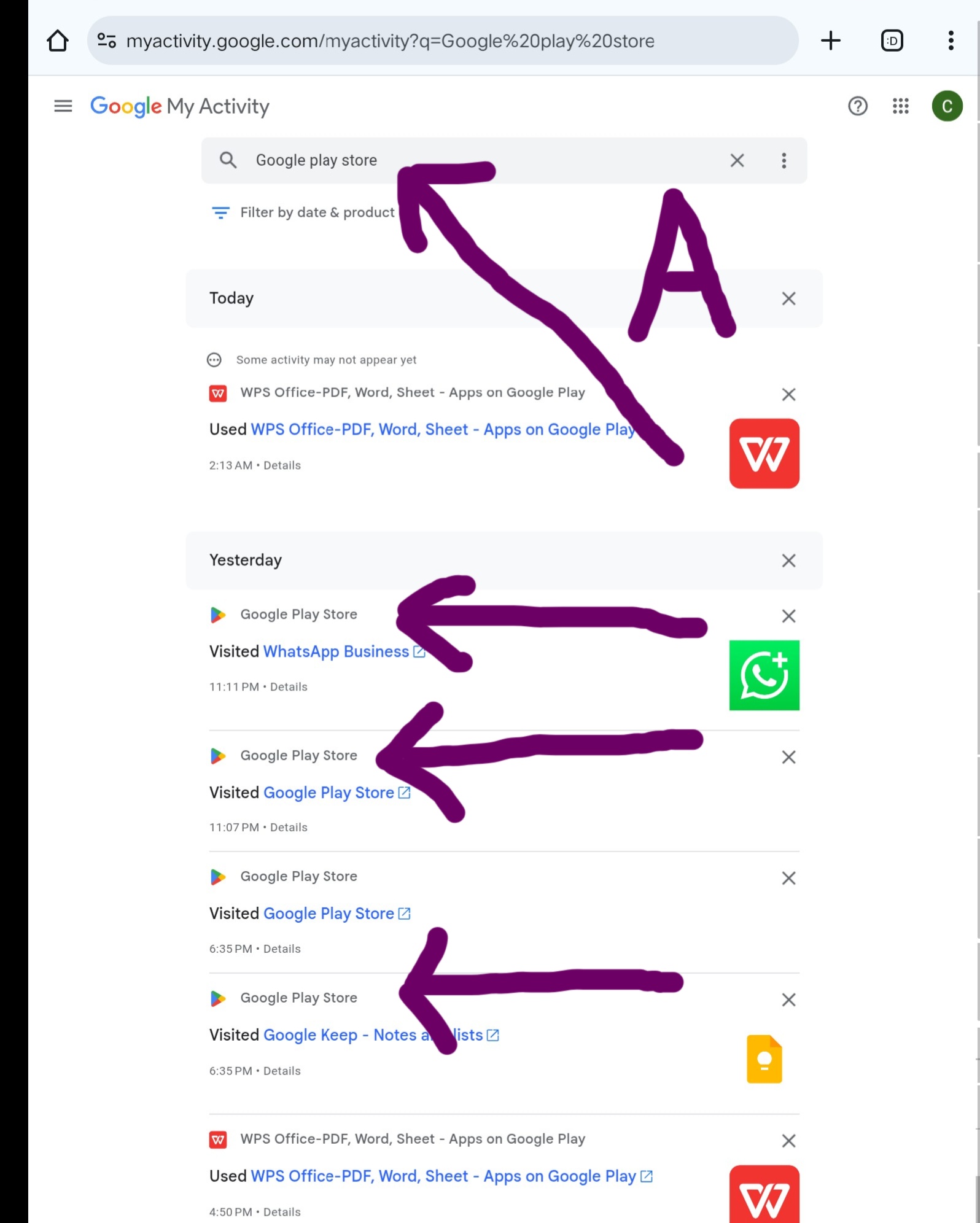
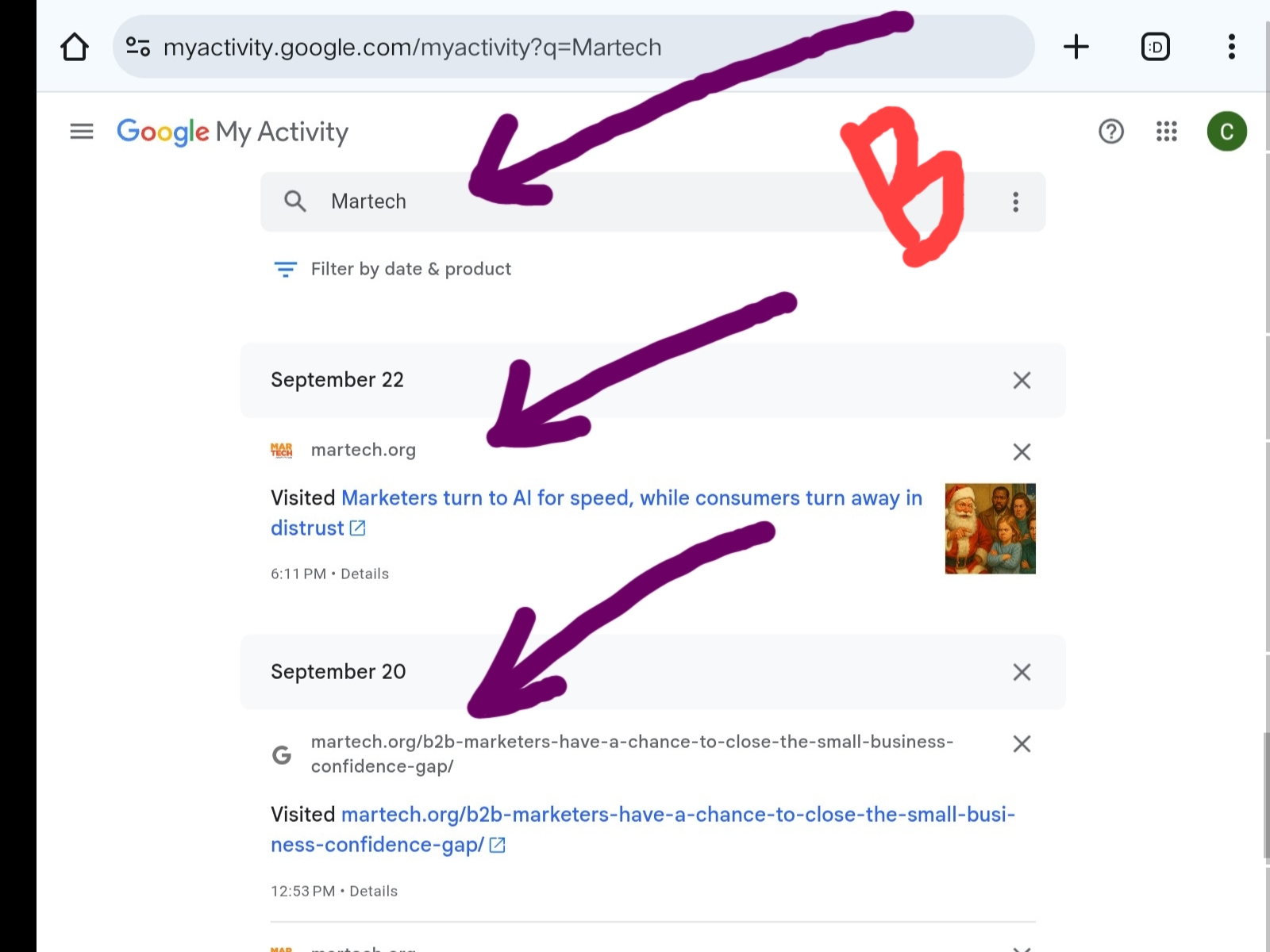
Action: Locate the search bar at the top of the My Activity dashboard. Type in a keyword related to your lost research (e.g., “CCN Software Database Error research” or a project name).
E-E-A.T. Focus: Quickly retrieving a specific source proves you can validate your facts (crucial for Trustworthiness) and allows you to build upon past work efficiently.
If you’re confuse about this operation, please see the screenshot-A and B examples below to guide to you proper.
Screenshot-B
Read Related: Mastering Google Ecosystem Handbook
Next Phases of E-E-A.T. Implementation for You
This guide provides the essential Experience-Based Steps for retrieval, giving you a profound digital safety net.
However, true Authority and Trustworthiness require you to manage and leverage the other powerful features inside the Search Activities Dashboard. Subsequent posts in this E.E.A.T. Guide series will walk you through implementing:
Custom Filtering: Isolating activity by product (YouTube, Search, Maps).
Auto-Deletion Settings: Proactively managing your privacy and digital footprint.
Activity Control: Pausing or resuming history tracking to define your research focus.
By following these initial proven phases, you have already taken the most critical step toward transforming digital frustration into undeniable Experience and Expertise, aligning your brand with what Google’s own quality raters