Published On: October 30, 2025 | Last Updated: November 11, 2025
Estimated Reading Time: 7 mins
Stop Hiding from Google: My Real-World Guide to Page Indexing Success
If you’re a serious website owner, there is no message more frustrating than an email from Google Search Console (GSC) that says, “New reason preventing your pages from being indexed”. You’ve done the work, but Google simply won’t serve your content to users.
I know this panic firsthand. I’ve personally experienced and documented almost every indexing error GSC throws at you, from the generic “Not Indexed” status to the alarming “Not found (404)” errors related to old draft content. Many guides tell you what the problem is, but few show you the exact technical fix that worked in a real environment.
This post is different.
Drawing from years of experience in technical and digital work “About Me Technical E.E.A.T Expertise ” this is my E.E.A.T. guide. I will take you step-by-step through the most common reasons why Google refuses to index your pages and share the precise, tested fixes I implemented on my own site and clients to resolve each issue. If you’re interested in another success story, see how a specific technical fix that worked in a real environment “Website Fatal Error” led to massive engagement for me.
If you are currently battling issues like pages being ‘Crawled – currently not indexed,’ ‘Blocked by robots.txt,’ or persistent 404s, this practical guide is your solution. We are going beyond theory to deliver proven results.
For this reason, we shall walkthrough:
The Top 5 GSC Indexing Errors and My Proven Fixes
Indexing Success Is Not Luck—It’s Technical Discipline
Without further addo, Let’s begin,
The Top 5 GSC Indexing Errors and My Proven Fixes
1. GSC Error: “Not found (404)” and the Draft Content Trap
This is one of the most common GSC errors, often caused by links pointing to deleted or, in my case, draft content. This error wastes Google’s crawl budget and signals an untidy site structure. The screenshot below gives insight into this.
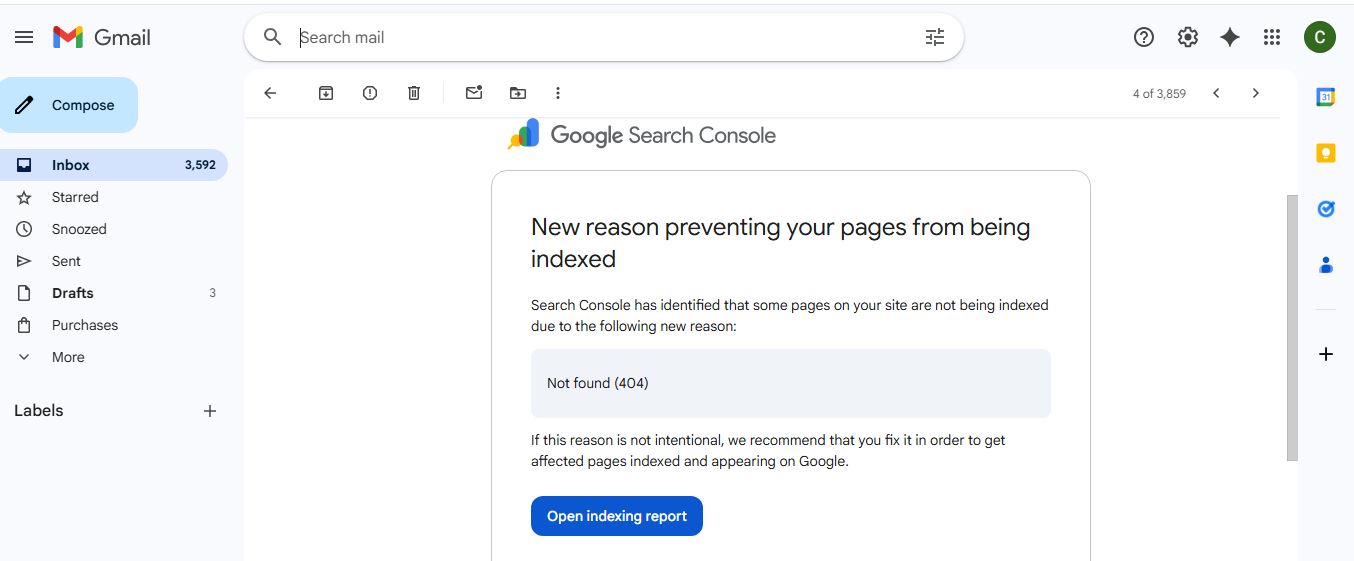
The Cause (My Experience): In my technical audit, I realized these 404s were often generated from old versions of my sitemap or residual links to pages that were still in draft status in my CMS. These pages were never intended to be live or indexed.
The Proven Fix (Walkthrough):
Sitemap Cleanup & Resubmission: The fastest way to tell Google to forget these old URLs is to resubmit a clean sitemap. I first ensured all draft content was excluded from my XML sitemap and then manually resubmitted the clean sitemap file in GSC. Here are the official steps to resubmit a clean sitemap .
Internal Link Audit: I used a quick audit tool to ensure no existing live page accidentally included a broken internal link pointing to one of the flagged 404 URLs.
2. GSC Error: “Crawled – currently not indexed”
This frustrating error means Google found and crawled the page, but decided not to include it in search results. This is a quality or priority issue, not a technical error.
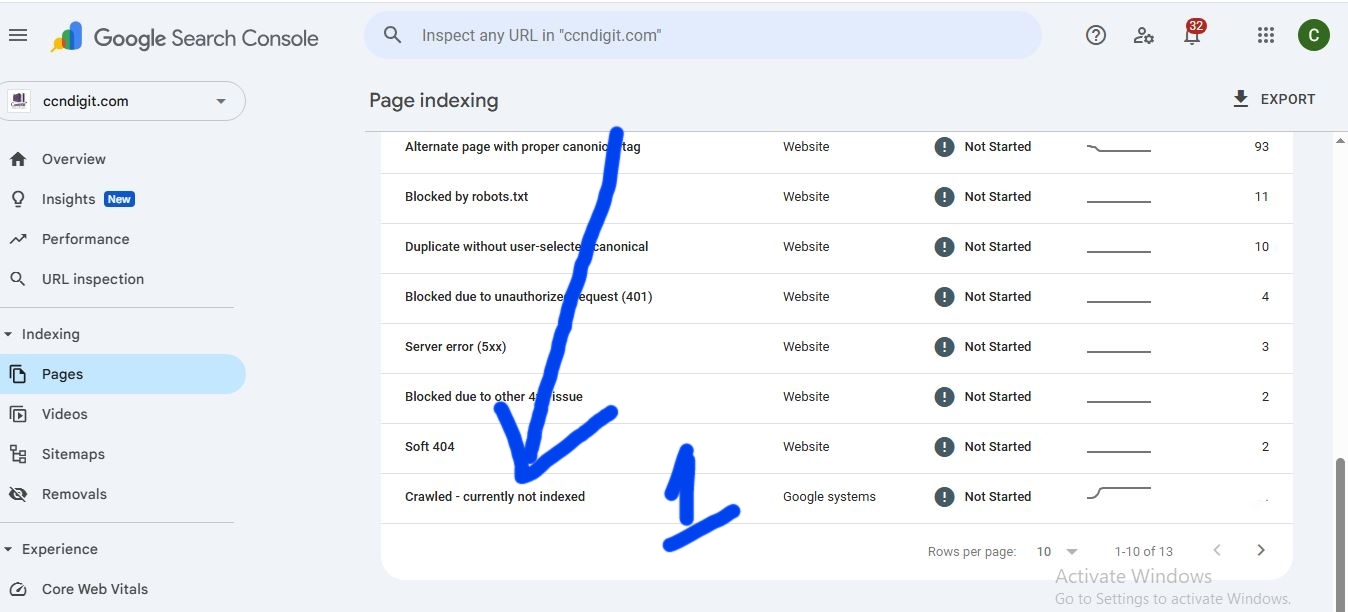
The Cause (My Expertise): Google viewed the page as low-value, thin, or potentially duplicative. They simply prioritize pages with a stronger signal of E.E.A.T. To understand the difference between crawling and indexing, you need to understand this distinction.
The Proven Fix (Walkthrough):
Content Refresh & Depth: I immediately reviewed the pages flagged and added more practical detail and unique experience to the content, making it demonstrably better than competing articles.
Internal Linking Boost: I linked to this flagged page from my highest-authority posts, like the Google Tools Dashboard Skills [Internal Link: Your “Google Tools Dashboard Skills” post] to signal importance and internal flow.
3. GSC Error: “Excluded by ‘noindex’ tag” & “Blocked by robots.txt”
These errors are pure technical sabotage—you are telling Google not to index your page, sometimes without realizing it.
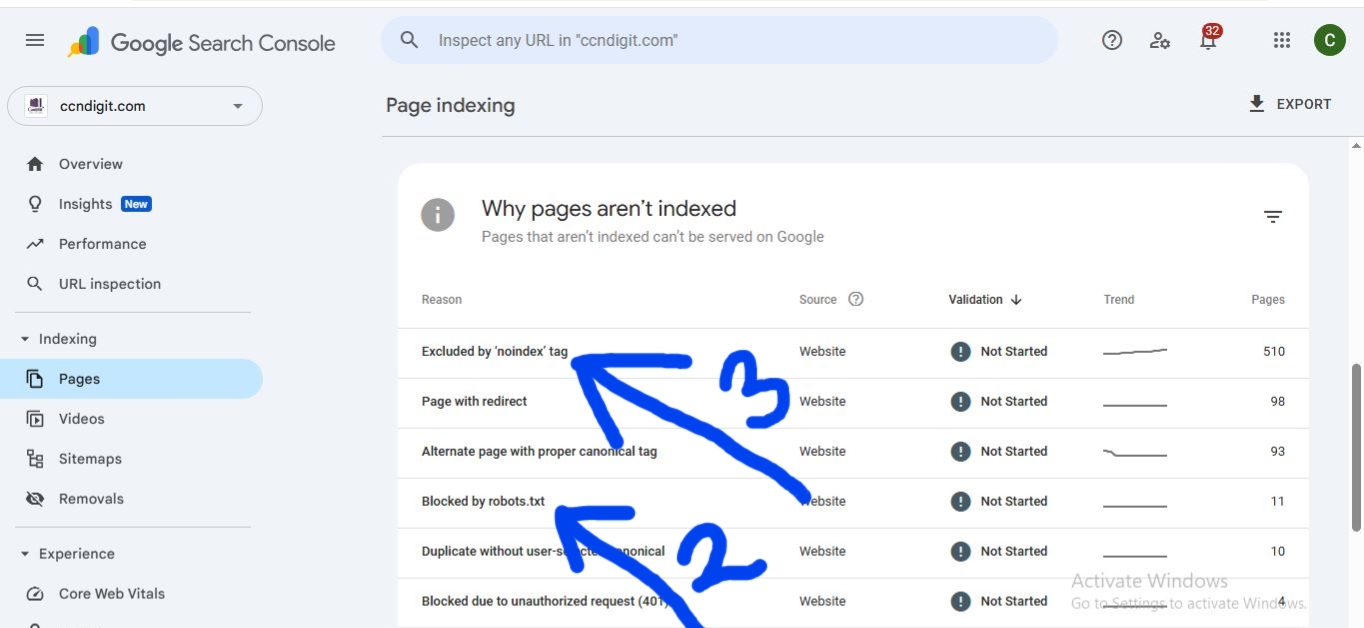
The Cause (My Technical Fix): This often happens when migration settings leave old directives, or a developer accidentally restricts a folder.
The Proven Fix (Walkthrough):
Yoast/Rank Math Check: For pages I want indexed, I verified my Advanced SEO settings to ensure the “Allow search engines to show this Post in search results?” setting was explicitly set to “Yes”.
robots.txt Audit: I accessed my site’s robots.txt file and checked for Disallow directives that were too broad. I immediately removed any line blocking essential content. Learn more about the robots.txt protocol .
4. GSC Error: “Duplicate, Google chose different canonical”
Google will only index one version of a piece of content. When it finds two similar versions, it chooses a canonical (the master version) and often ignores the others.
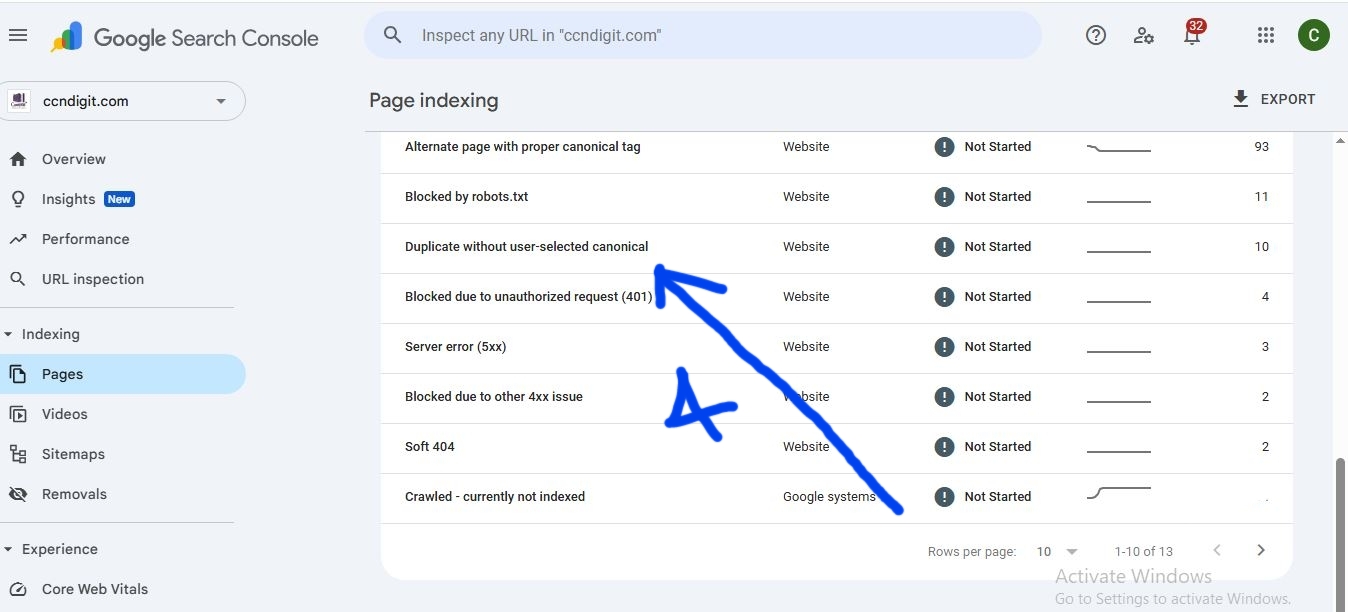
The Cause (My Expertise): This can happen with printer-friendly pages, tag/category archives, or when using different URL versions.
The Proven Fix (Walkthrough):
Self-Referencing Canonical: For the page I wanted indexed, I explicitly set a self-referencing canonical tag using my SEO software or effective plugin if you’re using the WordPress, all these is to tell Google, “This is the master copy.”
301 Redirects: If the duplicate content was an old page that was moved, I implemented a 301 permanent redirect to the new, canonical URL to consolidate authority and traffic.
Indexing Success Is Not Luck—It’s Technical Discipline
Navigating the world of Google Search Console errors and indexing issues is a core part of technical SEO , but it is not a guessing game. As I’ve shown, solving these problems—from clearing up old 404 errors related to drafts to resolving persistent ‘Duplicate content’ issues—comes down to discipline and knowing exactly where to look.
By applying the specific fixes documented here, you are not just cleaning up a report; you are sending a clear signal of Authority and Trust back to Google. This is the difference between having your content seen and having it stuck in the “Excluded” section forever.
Don’t let technical errors block your success. Use the exact fixes I’ve shared from my own experience, and watch your valuable pages finally appear where they belong: on Google Search.
➡️
Related Reading: Google’s E.E.A.T Blueprint: Secret to search authority in 2025 and Beyond