Published On: December 3, 2025 | Last Updated: December 12, 2025
Estimated Reading Time: 9 mins
Google Docs Features: 7 E.E.A.T. Components I Use for Flawless Pro Content
The High Cost of the ‘Good Enough’ Document
Every professional knows the panic: sending a critical client report, a major grant proposal, or a key piece of website content, only to spot a glaring typo or structural flaw moments later. That moment of sinking dread isn’t just about a grammar mistake; it’s about the erosion of trust. In the digital space, flaws are fatal to credibility. When content isn’t flawless, the audience questions your expertise, and your E.E.A.T. suffers immediately.
If you rely on the “good enough” features of free tools, your content is silently costing you clients and opportunities.
My E.E.A.T. Perspective (Why This Guide is Different)
As a certified Google Digital Marketer to name a few and a dedicated content strategist, I rely on systems that guarantee professionalism and authority. My process, highlighted in my Proprietary Cybersecurity Case Study, dictates that every piece of content must prove its own credibility.
The good news? The solution starts with the tool you use every day: Google Docs.
In this E.E.A.T.-backed guide, I will reveal the 7 indispensable features and components I personally activate inside Google Docs, turning it from a simple text editor into a powerful tool that certifies the flawless quality of your professional work. These aren’t obscure tricks; they are the fundamental components that guarantee trust.
Let me transform your Google Docs workflow into a certification of your expertise.
Foundational E.E.A.T. Features: Proving Content Lineage and Authority
Before a single word is published, my first step is always to ensure the document itself carries proof of authenticity, experience, and authority. This establishes the E.E.A.T. framework from the very start.
Component 1: Version History (The Proof of Experience)
This is the single most under-utilized feature for establishing E.E.A.T. I never delete draft comments or early versions.
How I Use It: I use Version History to track every major revision—showing clients and team members the evolution of the content. This is my proof of Experience; it shows the rigorous process that led to the final product, not just the final result. If a client ever questions a change, the documentation is instantly available.
Action: Access via File > Version History > See Version History.
Component 2: Insert Citation (Building Unquestionable Authority)
True authority requires citing credible, primary sources. While many professionals skip this in blog posts, integrating citations is a non-negotiable step for high-E.E.A.T. content, especially in the cybersecurity and data space.
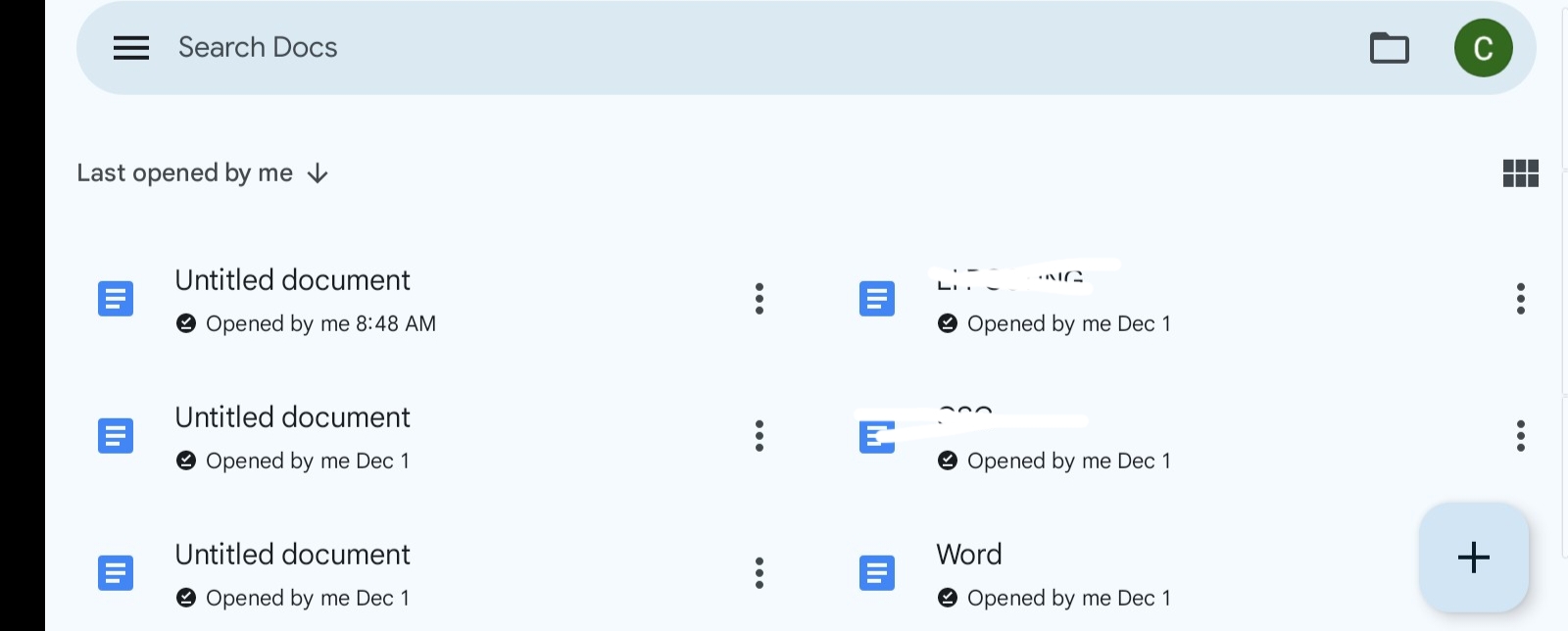
How I Use It: I use the built-in Citation tool to instantly generate accurate footnotes or endnotes for any data point, statistic, or claim I reference from a global authority (like the NCSC or CISA). This immediately validates the post’s Authority and Trustworthiness.
Action: Access via Tools > Citations. See screenshot 1 & 2 below
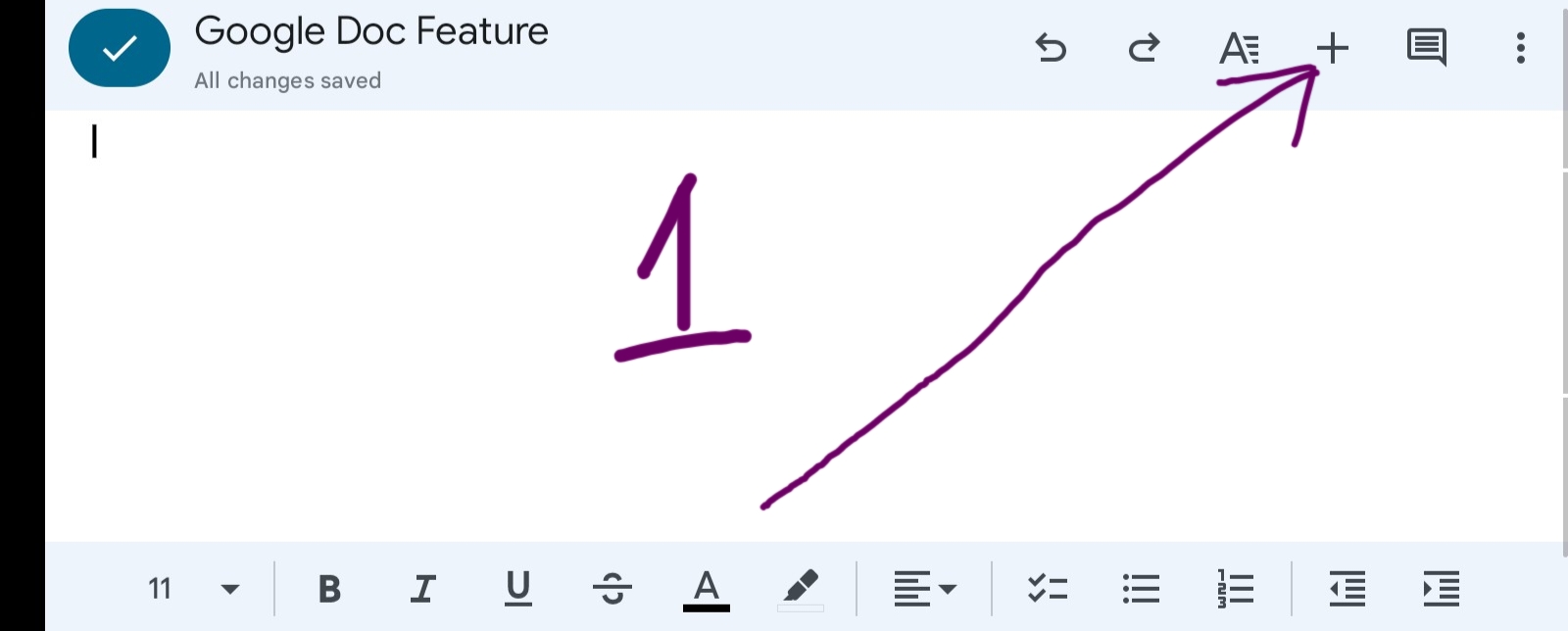
Screenshot 2 below
Flawless Execution Features: The Critical Quality Control
The next set of components focuses on execution: removing friction and guaranteeing technical accuracy before publication. This is where I ensure the language is clear and the quality is airtight.
Component 3: The Built-in Dictionary and Thesaurus
This feature is the baseline for professional writing, helping to eliminate vague language and ensuring terminology is precise.
How I Use It: I use the dictionary to verify specialized terms (especially in data analytics or cybersecurity) and the thesaurus to reduce repetitive vocabulary, which improves readability and engagement.
Component 4: My Secret Weapon: The Pro Polishing Tool
This is the most critical feature in my workflow, and it’s not built into Google Docs. While the native spelling/grammar checker is okay for casual use, it is fatally insufficient for professional, high-E.E.A.T. content. The native checker only identifies basic errors—it misses complex sentence restructuring, tone consistency, and structural ambiguity.
How I Use It (The Gap): After the initial draft, I run every piece of professional content through a dedicated paraphrasing and restructuring tool. This guarantees an expert tone, eliminates complex phrasing, and ensures that my final output is flawless, clear, and persuasive. This is the crucial step that elevates content from merely “correct” to truly authoritative.
Action: This is the essential upgrade for true content excellence.
Click here to guarantee your content’s E.E.A.T. with QuilBot Premium—the content polishing tool I trust for all client reports.
Advanced Collaboration & Final Audit Components (Features 5, 6, 7)
The final components leverage collaboration and structure to ensure the content is ready for a professional environment and is easily scannable by the audience.
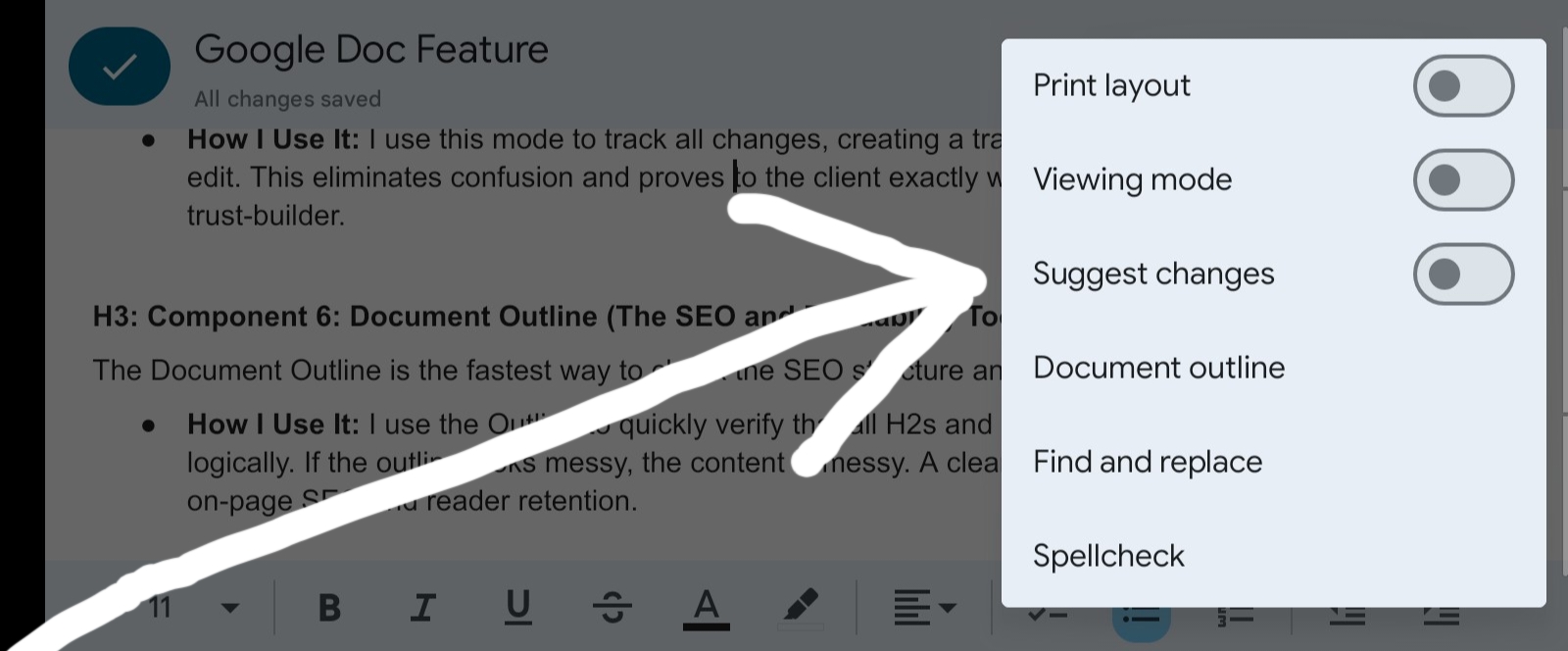
Component 5: Suggesting Mode (Professional Collaboration)
When working with clients or editors, the Suggesting Mode is non-negotiable.
How I Use It: I use this mode to track all changes, creating a transparent, auditable record of the final edit. This eliminates confusion and proves to the client exactly what has been modified, which is a major trust-builder.
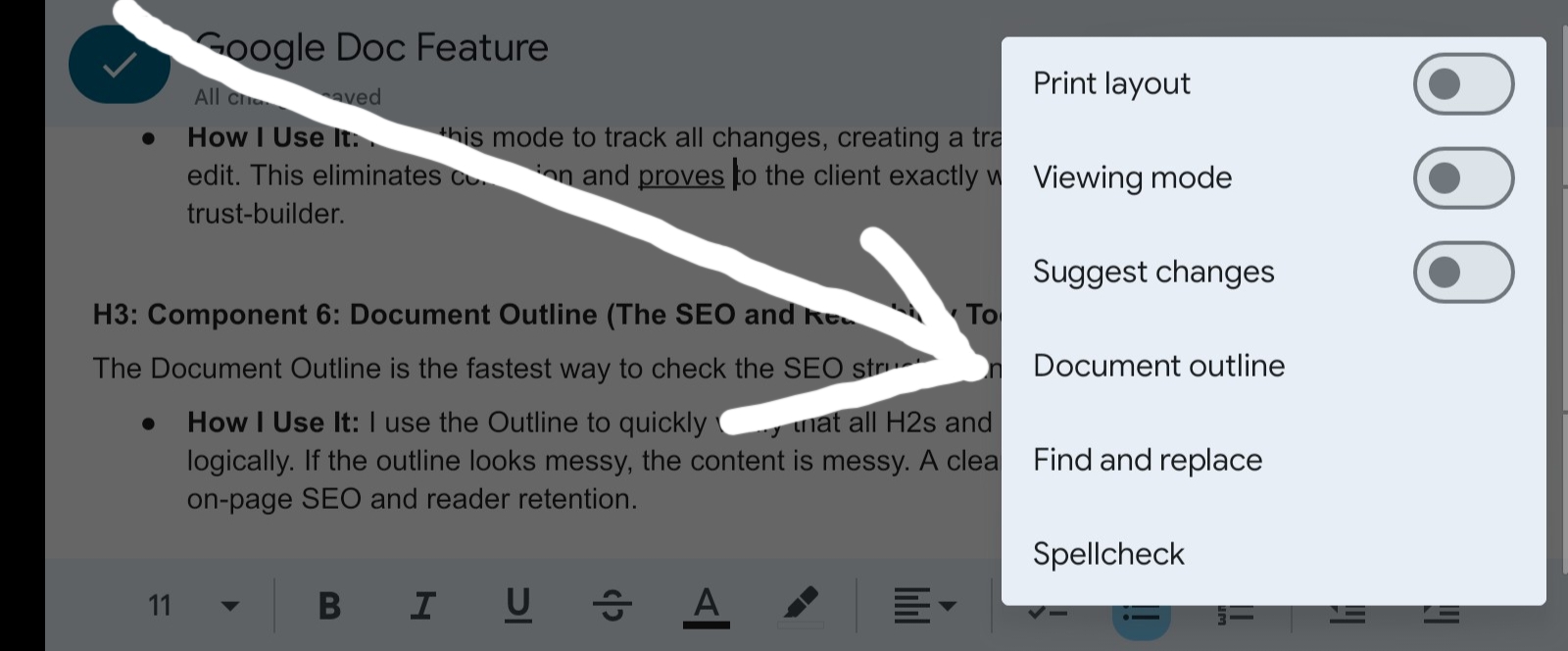
Component 6: Document Outline (The SEO and Readability Tool)
The Document Outline is the fastest way to check the SEO structure and scannability of your post.
How I Use It: I use the Outline to quickly verify that all H2s and H3s are properly nested and structured logically. If the outline looks messy, the content is messy. A clean outline correlates directly with good on-page SEO and reader retention.
Component 7: Document Summary (The Final E.E.A.T. Check)
Before publishing, I create a short Document Summary.
How I Use It: If I cannot summarize the entire value proposition of the content in one concise paragraph, the content is too long or lacks focus. It serves as my final E.E.A.T. audit to ensure the core value proposition is clear and ready for the Meta Description.
The Global Mandate: Aligning Content Creation with World Authorities
Producing flawless content requires more than just grammar checks; it requires adhering to established professional communication standards. The best writers globally follow guidelines designed to maximize clarity, accessibility, and trust. By aligning your process with these authorities, your content instantly elevates its E.E.A.T.
Here is a collection of essential professional communication and drafting guidelines from leading authorities across your primary audience regions, including the key step of simplifying complexity that tools like QuilBot help achieve:
United States: NIST (National Institute of Standards and Technology). NIST’s Guide to Clear, Accessible, and Usable Technical Communication. Focuses on clarity and usability (essential for E.E.A.T.).
United Kingdom : UK Government Digital Service (GDS). GDS’s Universal Content Design Principles for Public Clarity. Focuses on design and clarity for maximum reach.
Canada: Government of Canada Style Guide. Official Guide to Using Plain Language in Professional Writing. Emphasizes simplifying complex ideas .
Australia: Australian Public Service Commission (APSC). APSC’s Guidance on Professional and Accessible Communication. Focuses on integrity and accessibility.
European Union: European Commission Style Guide. EC’s Best Practices for Clarity and Consistency in Professional Documents. Stresses consistency across international communications.
Nigeria: National Information Technology Development Agency (NITDA). NITDA’s Digital Literacy and Professional Communication Guidelines. Aligns your content with Nigerian digital development goals, attracting high-level professional engagement from the region.
Read Related- Mastering Complete Google Ecosystem
Conclusion: From Good to Guaranteed E.E.A.T. Content
You now have the exact 7-component system I use to ensure every piece of content that leaves my desk is flawless. You have learned how to use features like Version History and Citations to prove your authority, and how to leverage the built-in audit tools to catch errors.
But let’s be honest about professional demands: the pressure to produce high-volume, high-quality content is immense. Relying solely on free features leaves a critical gap in your quality control—especially when dealing with complex restructuring and tone refinement.
This is the final, non-negotiable step to guarantee trust:
You need a dedicated polishing tool that is smarter, faster, and more comprehensive than any built-in free checker. That is why I rely on QuilBot Premium as the necessary eighth component to refine my content, structure my arguments with precision, and ensure my professional voice is never undermined by a simple phrasing error.
Don’t let preventable errors erode the trust you’ve worked so hard to build. Upgrade your content quality control today.
Click here to guarantee your content’s E.E.A.T. with QuilBot Premium


![Read more about the article Side, High, And Passive Income; Avoid Financial Pain [ Learn What Makes it, Examples, And How You Can Get it ]](https://ccndigit.com/wp-content/uploads/2023/04/pexels-photo-6238186-768x512.jpeg)
