Published On: November 17, 2025 | Last Updated: November 17, 2025
Estimated Reading Time: 7 mins
Stop Guessing: Google Search Activities Dashboard Data Analysis & E.E.A.T. Audits: My Proven Walkthrough
From Data Viewing to E.E.A.T. Proof (The Strategic Pivot)
I’ve covered the basics: accessing your research (the Google Search Dashboard Steps) and using the features for digital hygiene (the Google Search Dashboard Features). Now, it’s time to leverage the Google Search Activities Dashboard as the serious data analysis and auditing tool it truly is.
As a technical specialist, I don’t see history; I see raw, unfiltered data that measures my Experience and potential Authority. The biggest mistake content creators make is viewing this dashboard as merely a list of links—they miss its power to perform a genuine E.E.A.T. self-audit. E.E.A.T Framework
This post will share the final, most advanced phase of my proven walkthrough, where I use the Dashboard’s data to:
Validate Focus: Audit search patterns to confirm my content is truly aligned with my claimed Expertise.
Verify Trust: Identify and mitigate toxic or questionable search history that could unknowingly undermine my Trustworthiness.
Build Authority: Quantify historical engagement to prove the depth of my real-world research Experience.
This is how you turn raw browsing data into a structured E.E.A.T. score for your brand.
To this end, we shall cover:
Advanced Auditing: Data Analysis I Use to Build E.E.A.T.
Turning Data into Undeniable Authority (The Final E.E.A.T. Signal)
Let’s just unleash,
Advanced Auditing: Data Analysis I Use to Build E.E.A.T.
This section details the advanced, strategic use of the dashboard, phrased as a powerful auditing tool.
Audit 1: The ‘Content Gap’ Analysis
What I use it to accomplish: Quantifying my true Expertise and discovering content gaps.
I use the Dashboard’s search history as an honest report card. If I claim expertise in “Technical SEO,” I should see deep, complex searches in that area over time. If my history is dominated by shallow or unrelated topics, my claimed expertise lacks Experience, Topical Authority .I filter by product (Search) and analyze the depth and breadth of my historical query data. This reveals content I should have created based on my actual research time.
Walkthrough: Filter by ‘Search’ product. Scroll through historical searches, looking for patterns. Use a spreadsheet to track the percentage of searches related to your key topical claims.
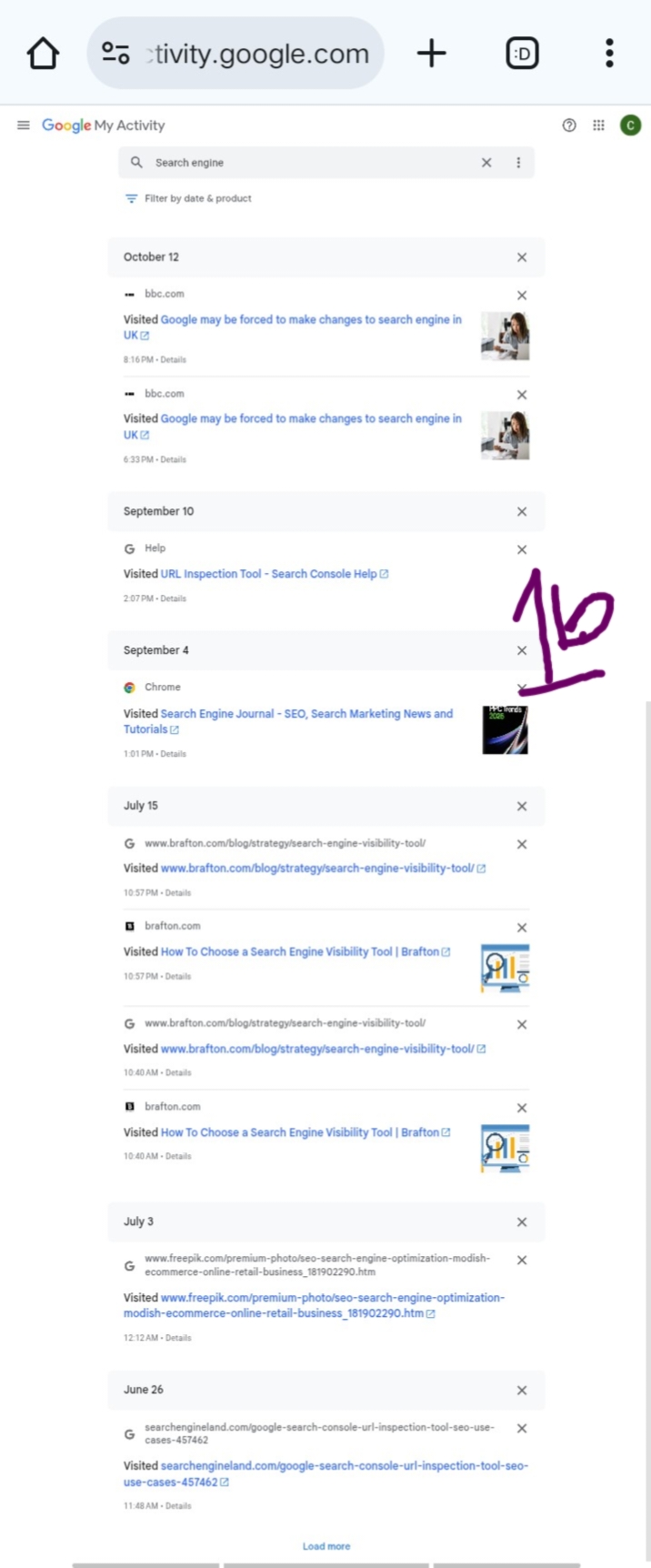
see my Filtering and Deep Search Query analysis in the screenshot- 1a and 1b below showing deep, specific technical identical queries but not unrelated research
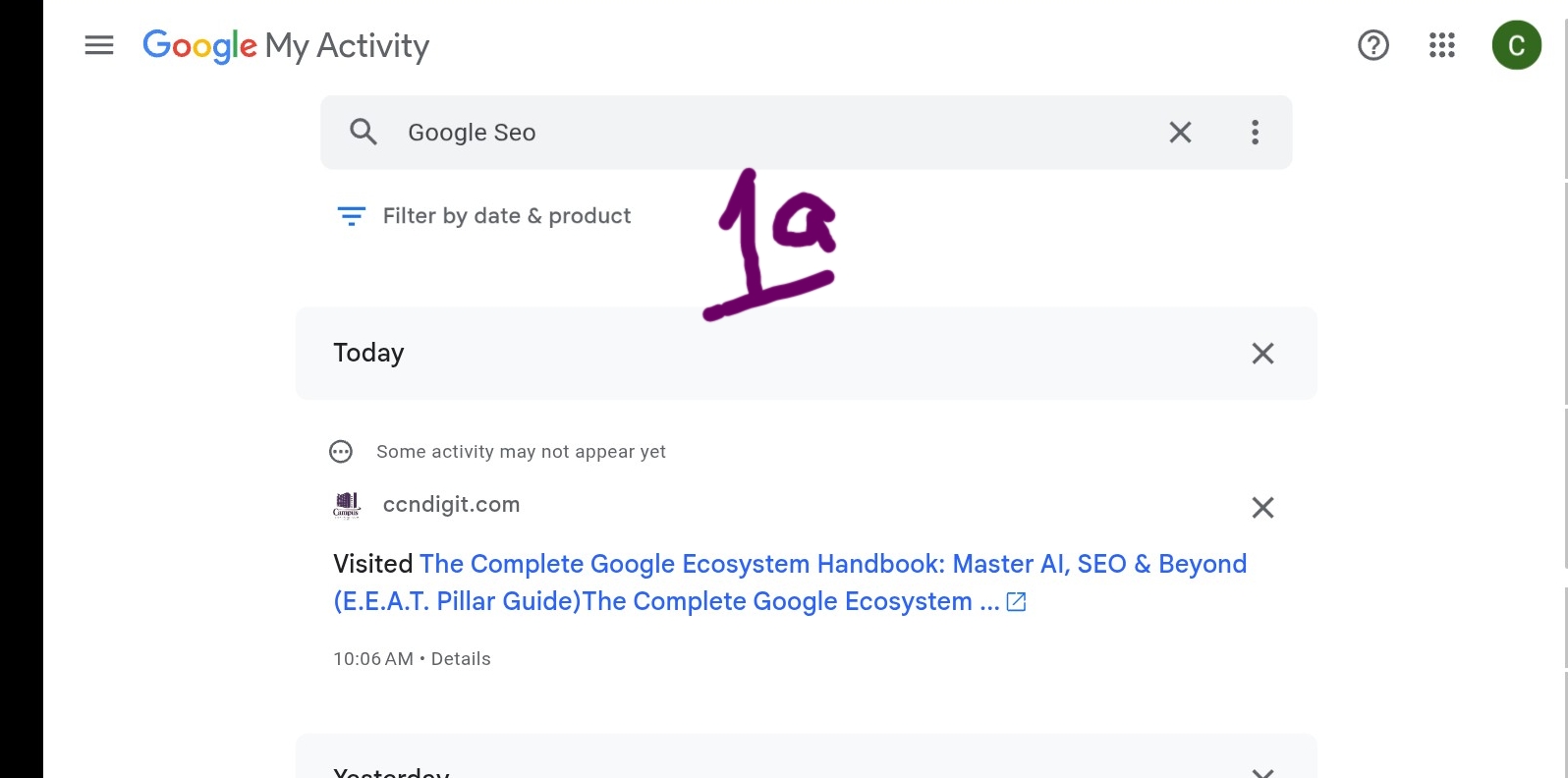
Screenshot- B as we can see below they’re all matching. Everything related to search engine [ SEO ], Not unrelated browsing analysis experience
Audit 2: The ‘Trust Risk’ Assessment (Mitigating Toxicity)
What I use it to accomplish: Proactively ensuring my digital footprint protects my Trustworthiness.
While everyone searches privately, content creators are held to a higher standard. I use the Dashboard to perform a quick “Trust Risk” assessment. By filtering for sensitive or easily misconstrued queries, I proactively delete or manage history that could potentially reflect poorly if ever audited or seen by a client. This is essential for maintaining the Trustworthiness demanded by E-E-A.T. standards. Google’s privacy controls
Walkthrough: Use the search bar for potentially risky keywords (e.g., controversial names, highly biased topics). Manually delete items that do not serve professional research purposes.
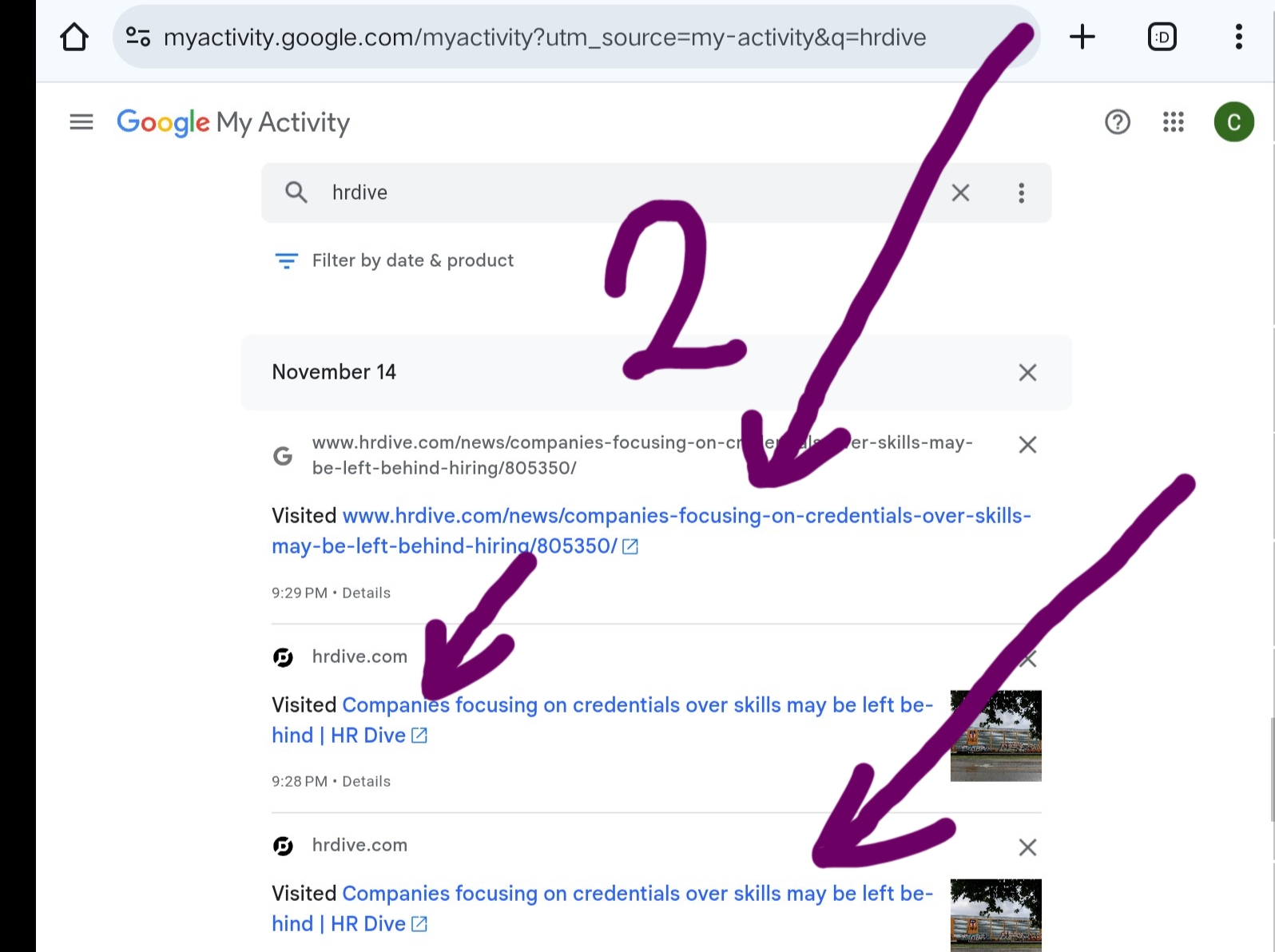
However, reference to my screenshot -2 below, in this case the below queries analysis pointed with arrow isn’t the risky type, it’s a good one but pointed them for deletion because they’re unfamiliar to my area of solution delivering [ Helping individual and business escape online glitches]. Thus, the screenshot below showing the deletion confirmation dialogue after manually removing an item.)
But in your case, deleting of Trust-Risk Queries analysis is important here, priorities in this case for you.
Audit 3: The ‘Experience Quantification’ Report
What I use it to accomplish: Generating concrete proof of the time invested in my Authority.
The Dashboard provides precise timestamps. I use this data, particularly when linking to historical research sources, to quantify the Experience invested in a specific project. For instance, I can prove that a comprehensive article required 40+ hours of search activity over three weeks. This turns abstract Authority into quantifiable effort. Search console’s performance Data Search console’s performance Data
Walkthrough: Select a specific topic search. Note the start and end date of related activity to show a duration of concentrated research.
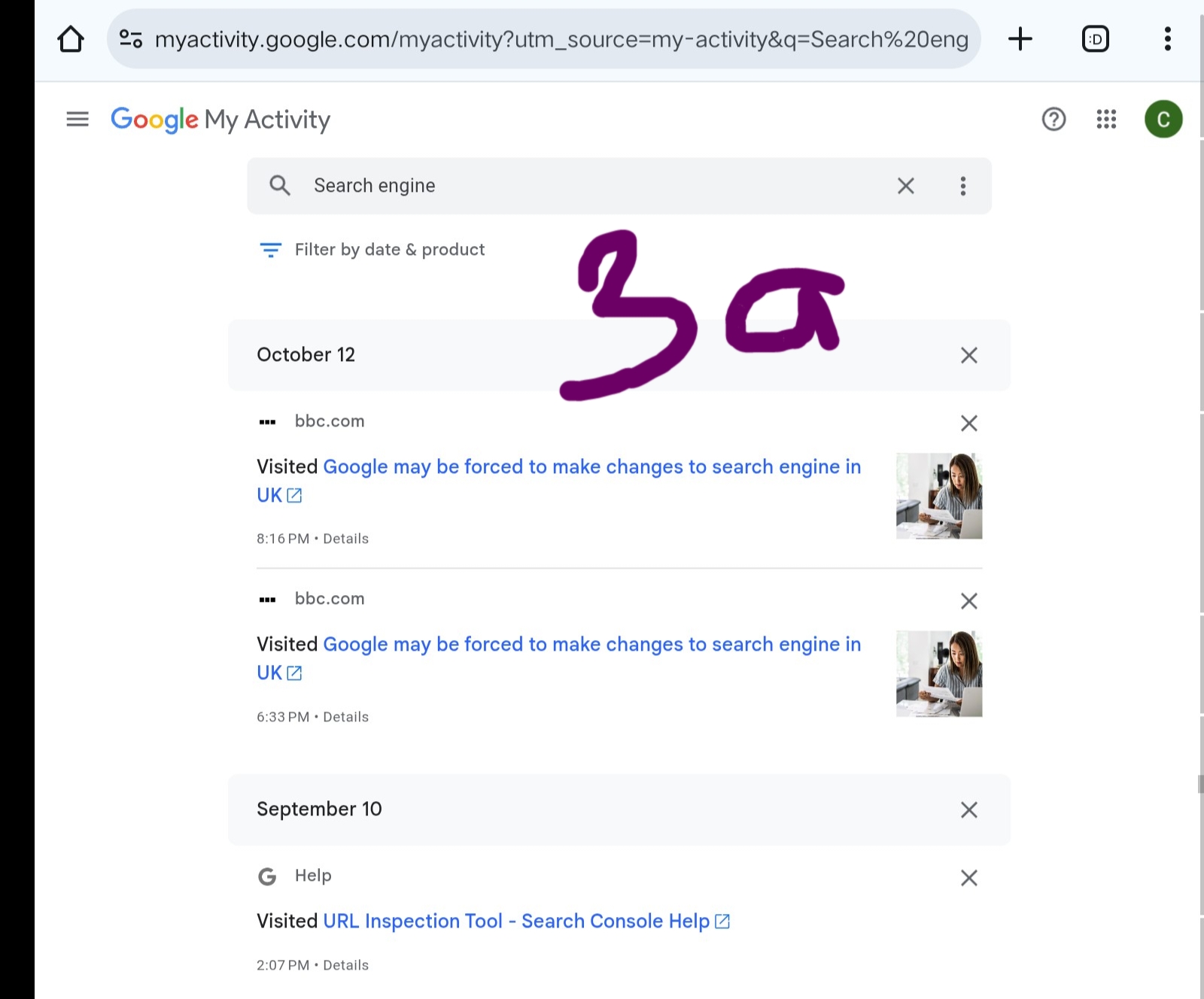
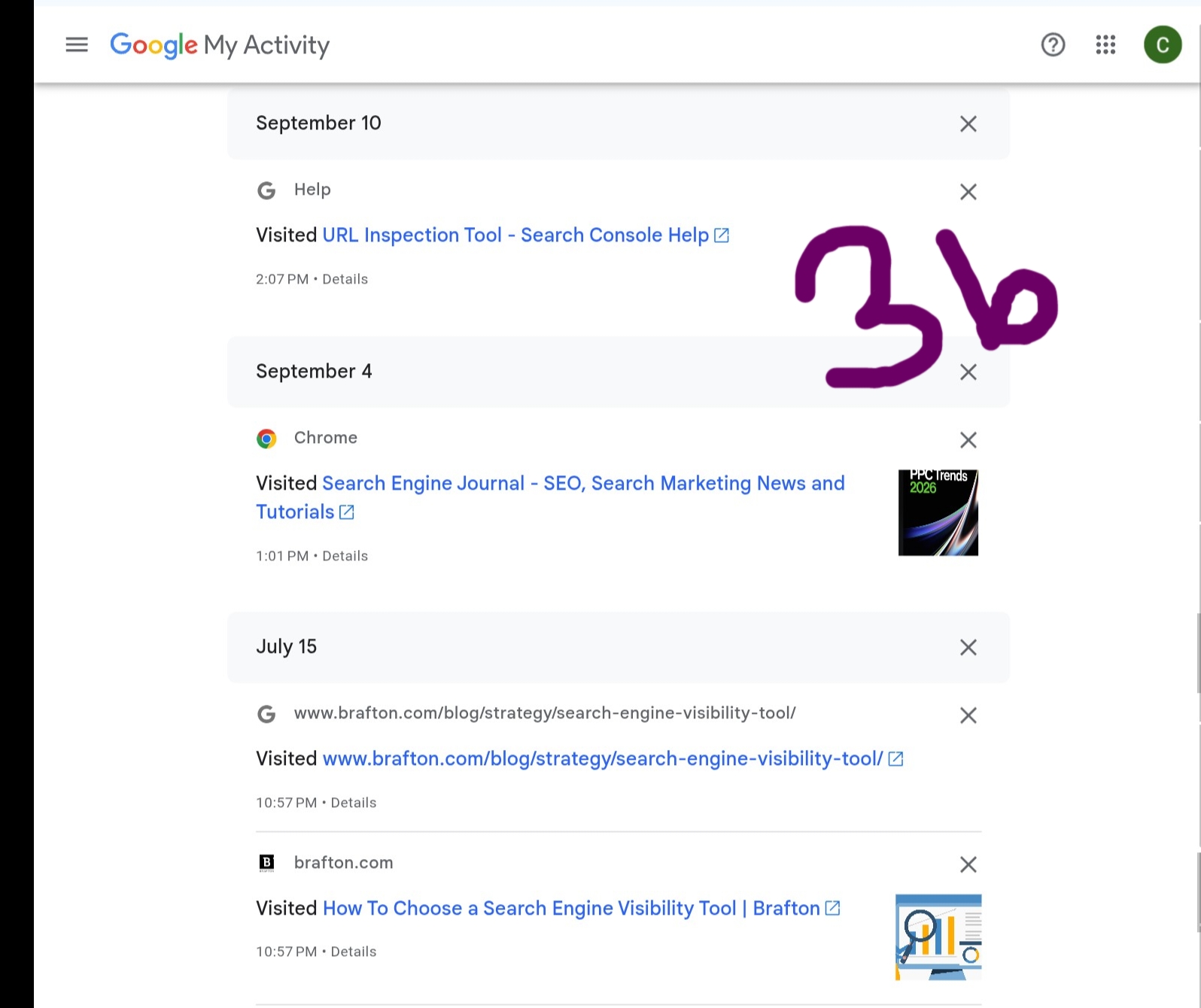
Screenshot- 3a and b below showing the timeline view on the dashboard, illustrating a long, consistent period of research activity.)
Timeline View for Experience Quantification. As you can see 3a shows different month still browsing on the same topic of Search engine [ SEO ]
Screenshot – 3b with different month of browsing historical data analysis still on the same search engines [ Long timeline ]
Related Reading- Master the Complete Google Ecosystem …
Turning Data into Undeniable Authority (The Final E.E.A.T. Signal)
You have now completed the entire Proven Walkthrough for the Google Search Activities Dashboard. You are no longer just browsing; you are conducting structured Data Analysis and performing necessary E.E.A.T. Audits on yourself.
By aligning your search habits with your professional claims, you generate the concrete evidence required to prove your Expertise, Experience, Authority, and Trust—the four pillars of success in today’s digital landscape.



![Read more about the article SIDE-INCOME, HIGH-INCOME, AND PASSIVE-INCOME [GET STARTED]](https://ccndigit.com/wp-content/uploads/2023/04/pexels-photo-6238186-768x512.jpeg)
